.avif)
Build fully functional mobile and web apps using natural language. No coding, no technical setup, no complexity. If you want to create an app for your business just by explaining what it should do, then Clappia’s AI app builder is designed exactly for that. It takes your natural language prompt and turns it into a working application, without writing any code. Instead of writing functions or setting up infrastructure, you describe the workflow or features, and the builder generates the structure for you. It's the quickest way to build and deploy powerful applications using AI.
From there, you can describe the type of business tool you want to build. It can be something straightforward like a form to collect information from your team, or something more structured such as a task tracker, an approval workflow, an inspection checklist, or a reporting app. You just explain the purpose and the steps involved, and the AI creates the initial version of the app. This gives you a starting point you can immediately refine and use across your team.
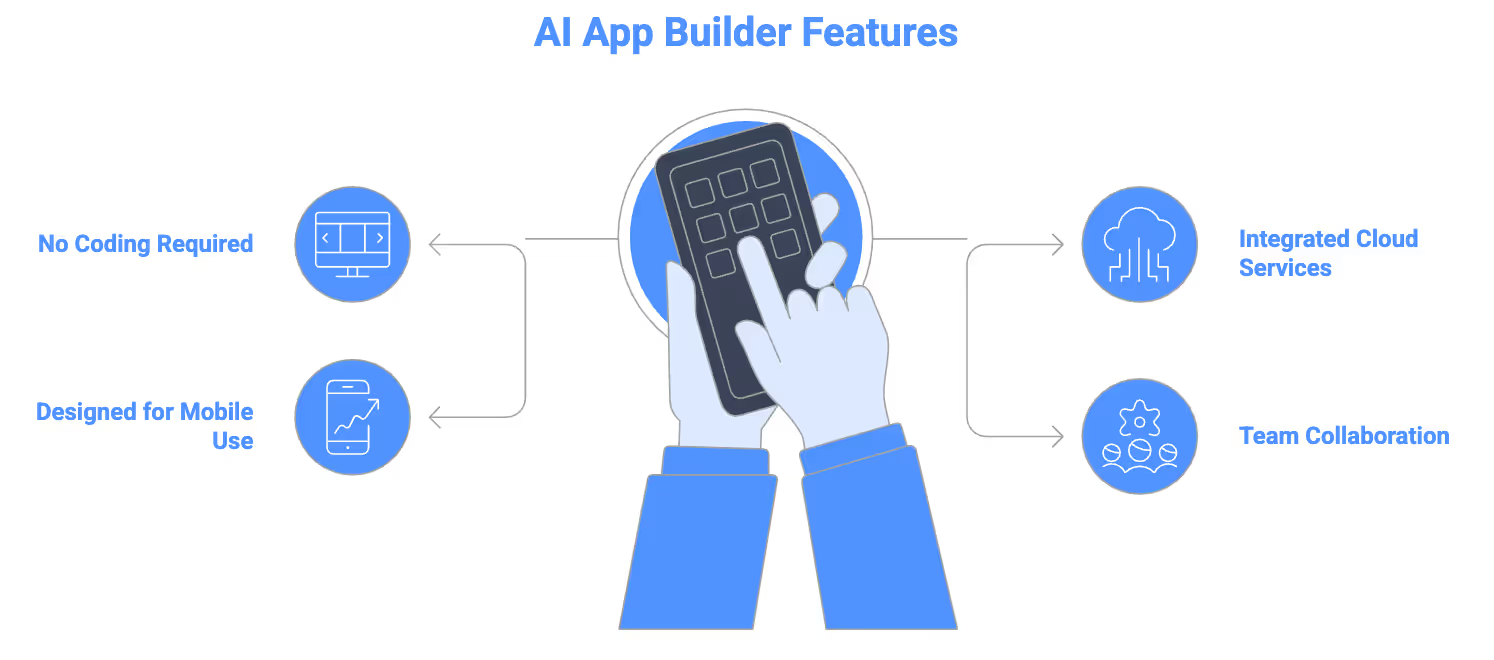
No coding experience required
Clappia handles the technical work behind the scenes, so you don’t need programming knowledge to create internal tools. You describe what the app should do, and the platform generates the fields, sections, and logic for you. After that, you can adjust anything visually such as adding rules, validations, or workflow steps with simple clicks. This makes it easy for operations teams, HR, admins, or field managers to build and maintain their own apps without relying on developers.
Integrated cloud services
Every app created in Clappia comes with built-in cloud capabilities that are already configured for business use. Data is stored securely, files are handled natively, workflows run automatically, and authentication and permissions are managed by the platform. You do not need to set up servers, databases, or API endpoints. The environment for running your application is ready as soon as the app is generated.
Designed for mobile use
Apps generated through Clappia AI App Builder work immediately on mobile devices. Once created, they can be used on iOS and Android for field reporting, inspections, data collection, GPS capture, and other business processes, and support offline usage. Teams who work outside the office can open the app and start using it without any additional deployment steps, making it practical for day-to-day operations. It's best to test the apps first before sharing it with your team. The best part is you can ask the AI to modify it for you or do it yourself using Clappia’s no-code features.
Collaborate across your teams and departments
Clappia allows multiple people in your organisation to contribute to the same application. Admins can update the app whenever processes change, and those updates appear instantly for all users. Teams across departments can use the same app simultaneously, submit data, complete tasks, and participate in workflows, ensuring everyone works from a single, consistent system.
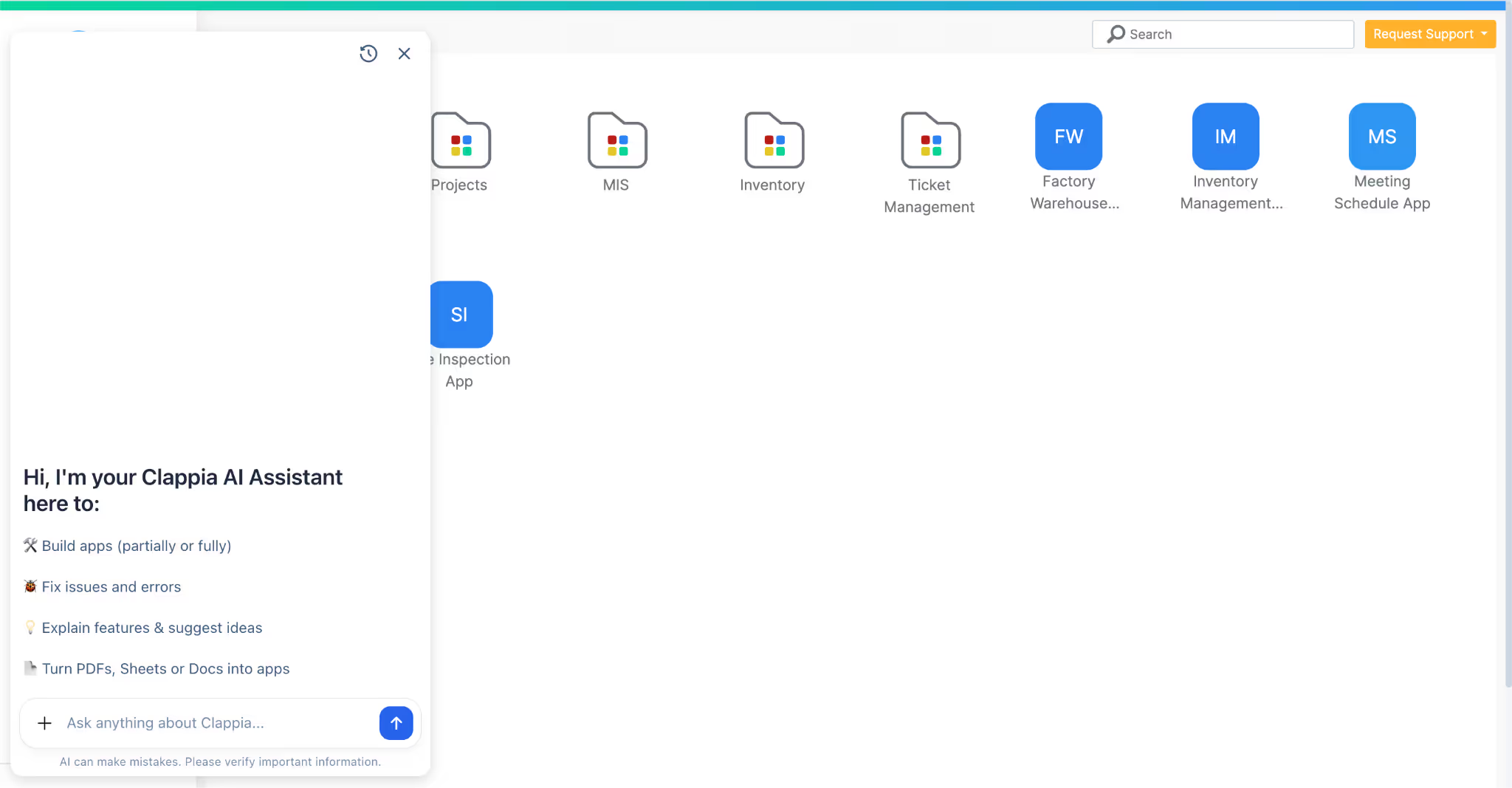
1. Describe your business process
Start by explaining what you want to build in natural language. You can describe your business workflow, the purpose of the app, the fields you need, or the process your team follows. The description can include business rules, user roles, or submission flows if you want the AI to set them up. The more specific your description to the AI, the better your results will be.
The AI also allows you to upload reference documents such as SOPs, process guidelines, forms, checklists, etc. and the AI will interpret those documents to generate the app for you. This gives you multiple ways to communicate your requirements, making it easy to start even if you don’t have a written prompt.
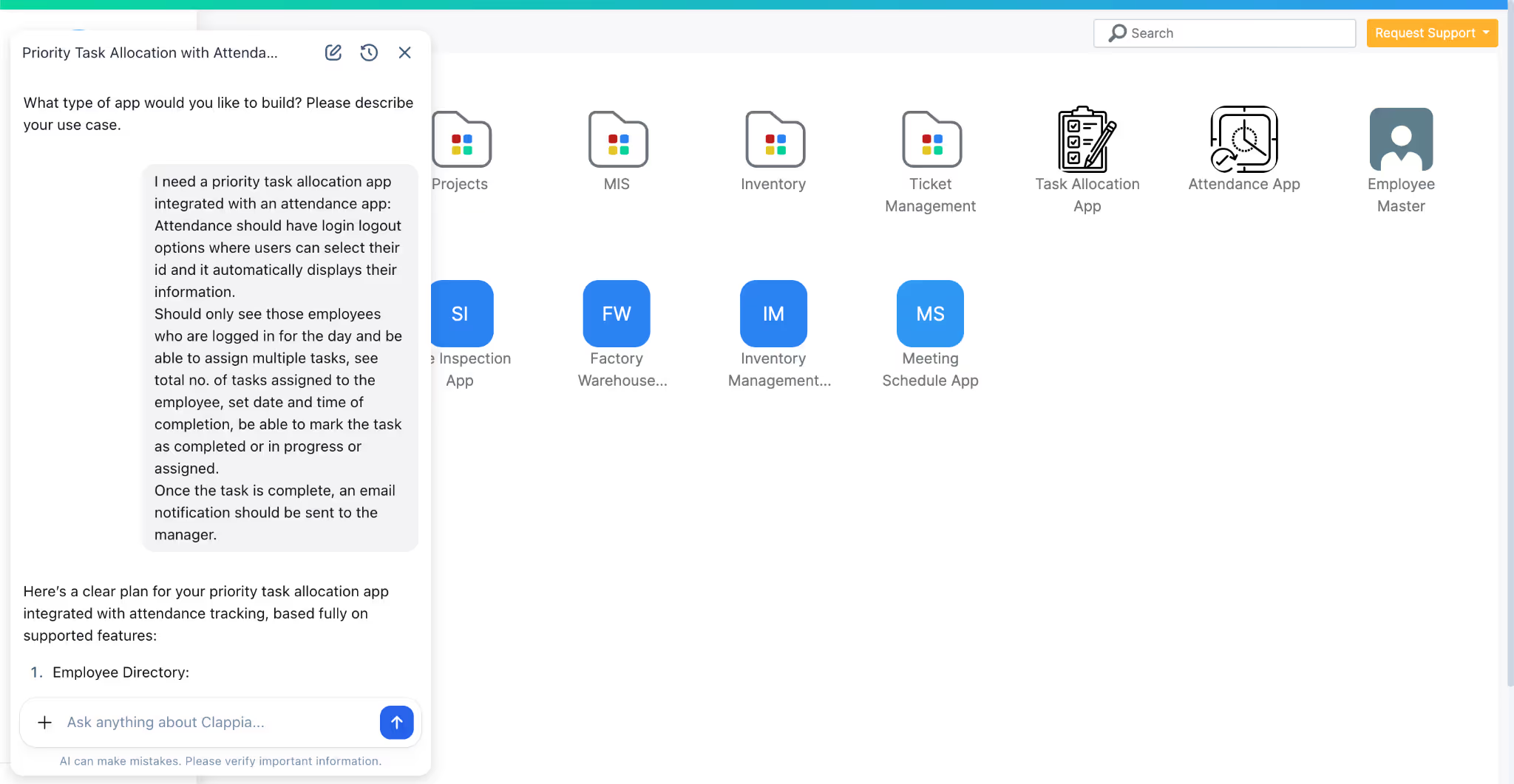
2. Clappia’s AI builder creates your app
Once you submit your prompt or document, Clappia’s AI app builder analyses the information and generates the application automatically. It identifies the fields you need, creates sections, applies logic, and prepares the internal workflow. The result is a fully functional app that you can open immediately. Everything is set up inside Clappia itself, so there is no separate environment or configuration required.
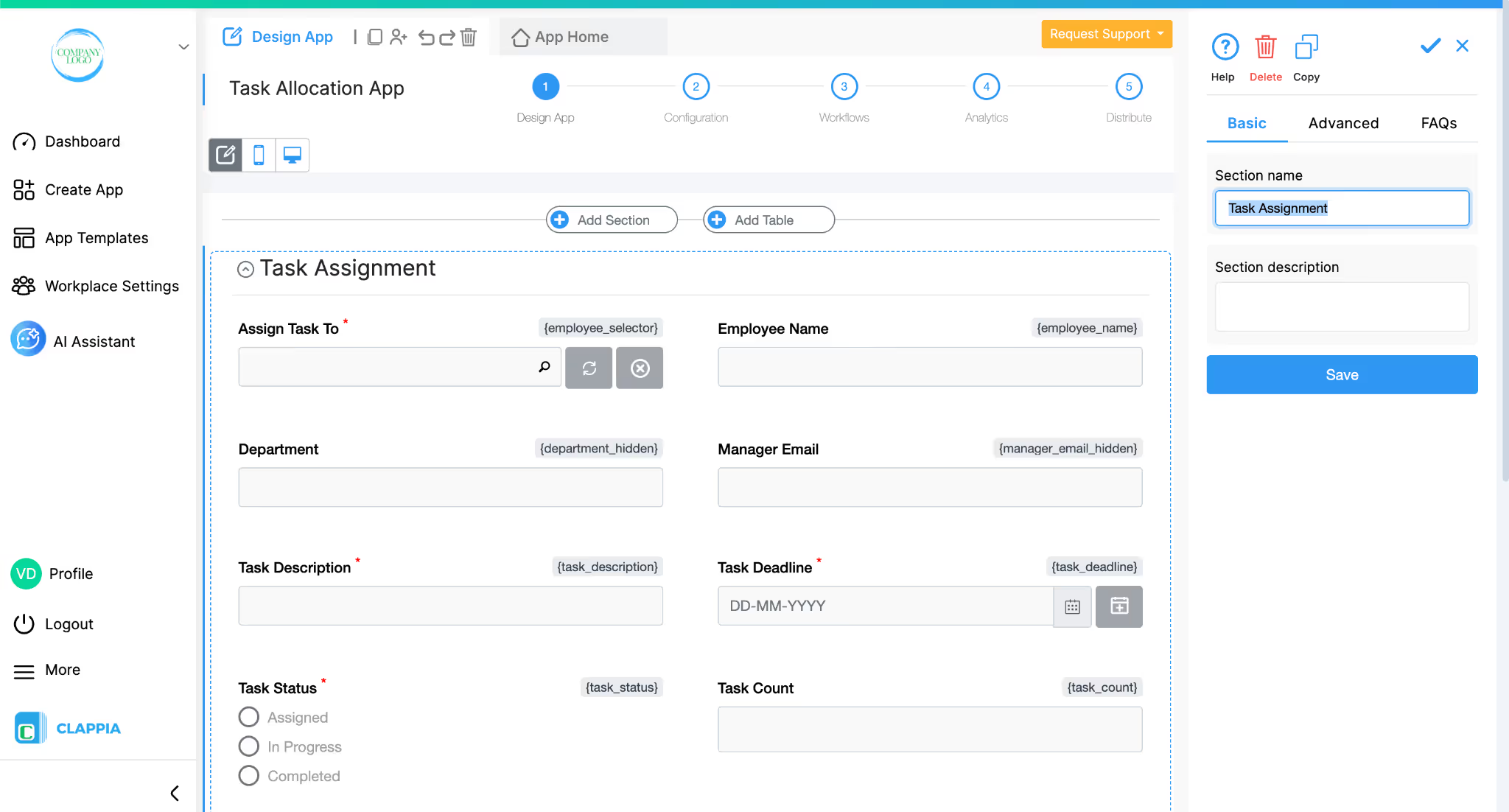
3. Refine and modify
If you want to make changes, you can ask the AI directly at any point in time. You can request additional fields, new workflow steps, conditional logic, or adjustments to the data structure. The AI will propose modifications, explain what it plans to change, and then apply those updates once you confirm. Again, simply ask for what you need in everyday language and the AI can make changes, add features, or even fix issues. You can also modify the app manually through Clappia’s no-code builder, which gives you full control over everything the AI creates.
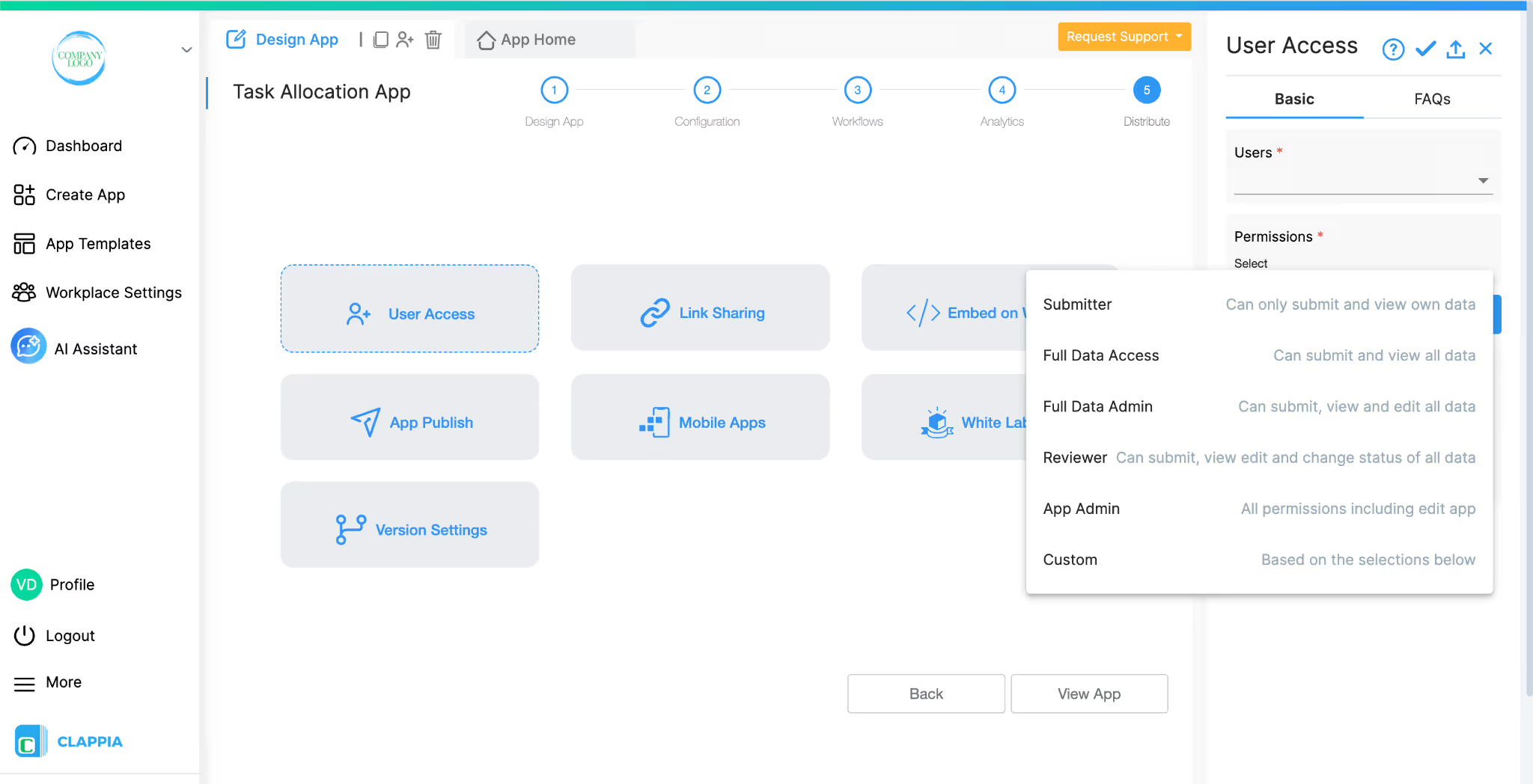
4. Test and share
Your app is ready to use as soon as it’s generated. You can share it internally with your team, assign user roles, and begin collecting data right away. Apps created by Clappia run instantly on both mobile and web, with no hosting or deployment steps required. Every update you or the AI makes is instantly reflected for all users, making it simple to roll out changes whenever needed.
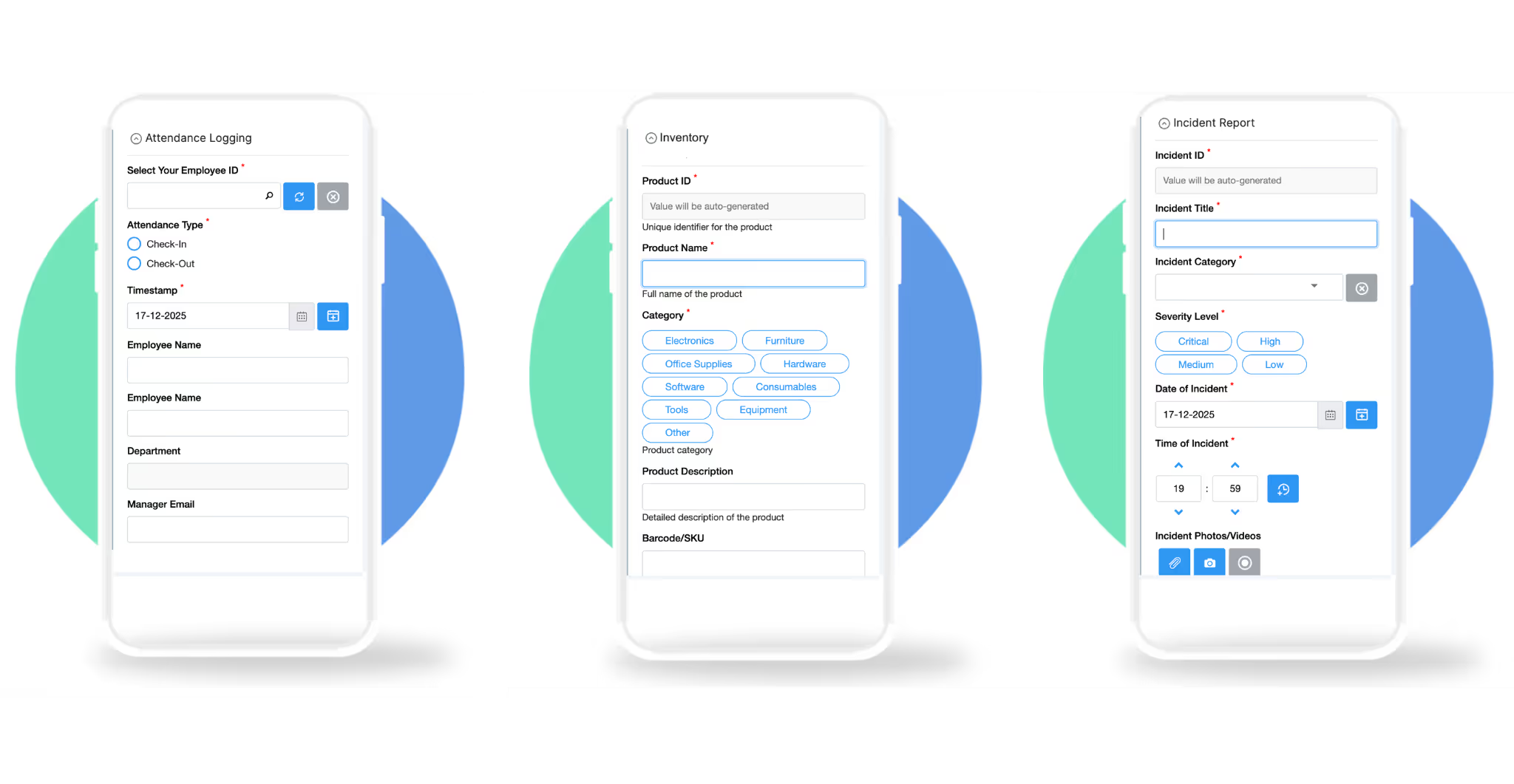
You can build almost any business app with Clappia’s AI. It’s industry-agnostic, so it doesn’t matter whether you’re in operations, HR, logistics, fieldwork, administration, or anything else. You just explain your process, and the AI creates the first version of the app.
It can be something basic like a data form or a checklist, or something more detailed like a task tracker, an approval flow, an inspection app, or a reporting tool. When generating the app, the AI sets up the structure automatically. It creates the relevant sections or pages, adds the fields needed for your workflow, applies calculations, logic or validation rules where required, and can even build the initial workflows, for example, sending automated notifications or assigning tasks. If your process requires reporting or a quick overview of key metrics, the AI can also set up a dashboard for you. Since the AI builds the foundation, you can then adjust everything to match your exact workflow, no matter what sector you’re in.
AI app builders help teams create tools faster than traditional methods. With AI, teams don’t have to wait weeks or months for a developer to build something. The initial version of the application can be generated almost immediately from a description of your process. This is a major shift from how apps were traditionally built, where development cycles, hand-coding, testing and deployment often took a long time and a lot of resources.
Part of the reason this shift is happening is because businesses are increasingly adopting no-code and low-code solutions to keep up with digital transformation. Analysts expect a growing share of business applications to be created using these technologies: Gartner predicted that around 70% of new enterprise apps will be built on no-code/low-code platforms by 2025, up from a much smaller share just a few years ago. Other research shows the global market for low-code and no-code platforms is expanding rapidly, with projections pointing to significant growth in the coming years as more companies embrace faster, more accessible ways to build software.
AI-driven builders also reduce development costs. Traditional app development often requires specialist skills, and teams need to maintain and update code over time. By contrast, platforms that combine AI with visual, no-code tools let business teams take control of app creation, which reduces dependency on engineers and can cut development time and costs substantially.
If you’re hesitant about using AI because you prefer manual control, you don’t have to choose one or the other. Clappia lets you customise everything manually using its no-code builder, even after the AI has generated your app. You don’t need technical expertise to do this, and if you ever need guidance, you can always raise a support request and get help. This balance of AI generation and user control makes it easier for businesses to adopt AI without feeling locked in or unsure of what comes next.
If you want to see how AI can help streamline your work, try creating a small app with Clappia. Describe your process, let the AI generate the first version, and adjust it as you go. You can build, test, and refine your app in minutes, and switch to the no-code editor whenever you want more control.
L374, 1st Floor, 5th Main Rd, Sector 6, HSR Layout, Bengaluru, Karnataka 560102, India
3500 S DuPont Hwy, Dover,
Kent 19901, Delaware, USA


.svg)




3500 S DuPont Hwy, Dover,
Kent 19901, Delaware, USA
L374, 1st Floor, 5th Main Rd, Sector 6, HSR Layout, Bengaluru, Karnataka 560102, India

.jpg)



.avif)