

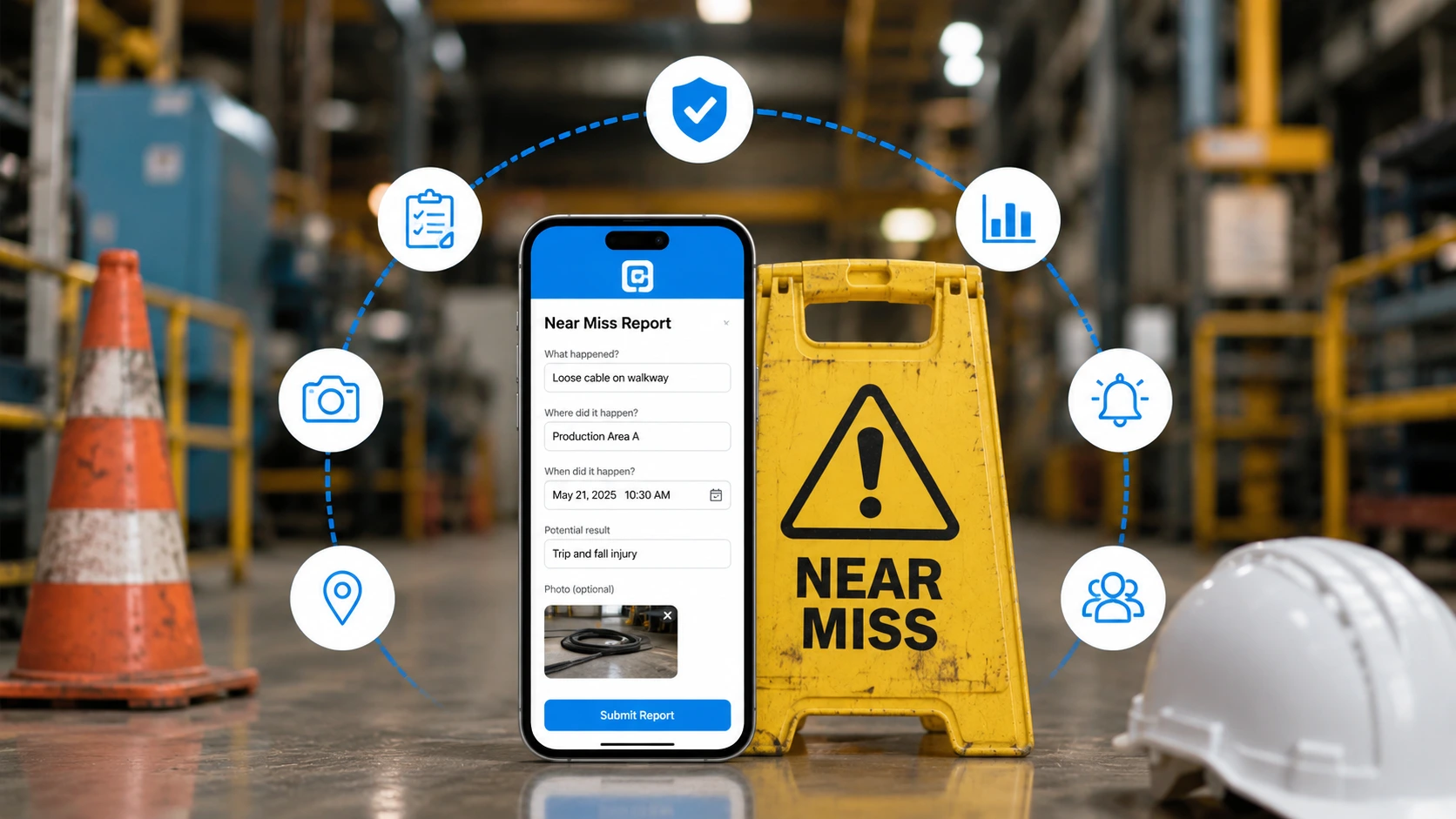
TL;DR:
A near miss is an unplanned event that could have caused injury or damage but did not. Reporting near misses is one of the cheapest ways to prevent serious incidents, yet most go unreported because the process is slow, unclear, or feels risky. You improve near miss reporting by making it fast, mobile, and blame free, then investigating every report and closing the loop with corrective actions. On a no-code platform like Clappia you can build a custom near miss reporting app in a day, with real time photo capture, GPS location, offline mode, and multi level approval routing.
A near miss, also called a close call or a good catch, is defined by the National Safety Council as "an unplanned event that did not result in injury, illness or damage, but had the potential to do so." A worker who trips on a trailing cable but catches themselves, a load that swings close to a colleague, a frayed cord spotted before it sparks: none cause harm today, but each is a free warning. Near miss reporting is the practice of capturing those warnings and acting on them before they become a recordable incident.
The problem is not that near misses are rare. It is that most are never reported. When reporting means a paper form back at the office or a desktop portal nobody opens, the warning never reaches the person who could fix the hazard. This guide covers what a near miss is, the types and examples, how to write a report, and, most importantly, how to improve the process so your frontline team actually uses it.
At a glance, five ways to improve near miss reporting:
A near miss sits one step before an injury on the same chain of events. It usually results from either an unsafe condition arising from the work environment, or an unsafe act arising from how work is performed. Because a large number of near misses precede most serious injuries, each unreported one is a missed chance to break the chain early. That predictive value is why the National Safety Council states that most loss producing events, both serious and catastrophic, are preceded by warnings or near miss incidents.
Capturing near misses is a proactive approach, and OSHA's Recommended Practices for Safety and Health Programs explicitly calls on employers to "investigate injuries, illnesses, incidents, and close calls/near misses to determine the underlying hazards, their causes, and safety and health program shortcomings."
Classifying near misses turns a pile of individual reports into trend data you can act on. Most programs group them by the underlying cause.
| Type of near miss | What it means and an example |
|---|---|
| Unsafe act | A person's action creates the risk, such as an employee rushing and failing to see a cable on the floor. |
| Unsafe condition of the area | The environment creates the risk, such as a wet floor with no signage or poor lighting on a stairwell. |
| Unsafe condition of equipment | A tool or machine is in a risky state, such as a frayed electrical cord found before it ignites. |
| Unsafe use of equipment | Equipment is used incorrectly, such as an unsecured gas cylinder corrected before it tips. |
| Safety policy violation | A rule meant to prevent harm is skipped, such as a missed lockout step caught before start up. |
The value is simple economics. A near miss report costs nothing but a moment of attention, while the incident it prevents can cost an injury, a shutdown, an investigation, and a claim. Reporting also produces data: patterns across many reports reveal the hazards worth fixing first. OSHA's guidance on hazard identification and assessment treats close calls as one of the core inputs a safety program should collect and review alongside inspections and incident history. Teams that already run an on site hazard reporting app or a safety incident reporting app simply extend the same habit one step earlier in the chain.
A good near miss report is short enough to complete in a minute yet complete enough to act on. If it takes too long, workers stop filing them, so keep the mandatory fields to a minimum. The core fields below strike that balance, and they line up with OSHA's own near miss report form template.
| Field | What to capture and why it matters |
|---|---|
| Date, time, and location | GPS tagged where possible, so the hazard can be found and fixed at the exact spot. |
| What happened | A plain, factual description of the event and what could have gone wrong. |
| Type of near miss | Unsafe act, unsafe condition, and so on, for trend analysis. |
| Photo evidence | An image of the hazard captured on the spot is worth more than a paragraph. |
| Contributing factors | The conditions or actions that set up the near miss, which point to the real fix. |
| Immediate action taken | What the reporter did in the moment, if anything, to make it safe. |
| Suggested corrective action | The reporter is often closest to the practical fix. |
| Reporter (optional) | Making the name optional supports anonymous reporting and raises reporting rates. |
Pro Tip: Design a minimum viable report with only a handful of required fields, ideally location, a short description, and a photo. Every extra mandatory field lowers your reporting rate. You can always gather the rest during investigation.
Improving reporting is less about the form and more about removing friction and fear. Five moves make the biggest difference.
Write down what a near miss is, how to report it, who reviews it, and what happens next.
Short toolbox talks with real examples so workers recognize what counts as a near miss.
A one-minute mobile form with photo capture and a clear no-blame policy.
Every report gets an owner, a due date, and a verification step.
A dashboard of open vs closed actions and a weekly good-catches share-back.
Understanding the barriers is the fastest route to fixing them. The table below pairs each common barrier with the practical fix.
| Barrier to reporting | Practical fix |
|---|---|
| Fear of blame or getting a colleague in trouble | Adopt a non-punitive policy and allow anonymous reports with a "prefer not to say" option. |
| Reporting takes too long | Use a one minute mobile form with photo capture. |
| No signal on the job site | Enable offline data capture that syncs when connectivity returns. |
| Workers do not recognize a near miss | Train with concrete examples and the five near miss types. |
| Reports seem to go nowhere | Route every report to an owner and share closures. |
| Paper forms get lost | Capture digitally with a searchable, filterable record. |
Nearly every barrier is a friction or trust problem, and both are solved by a fast, mobile, blame free process that visibly leads to action. This is the same shift teams make when they move from paper to a digital field reporting app.
Near miss reporting is proactive and, by definition, covers events that caused no injury, so a near miss is not itself an OSHA recordable event. The connection is upstream. A strong near miss program surfaces and fixes hazards before they produce the injuries and illnesses that employers must log under OSHA's injury and illness recordkeeping rules on Forms 300 and 301. In other words, good near miss reporting is one of the levers that keeps your recordable count down. Pairing near miss capture with a routine safety audit checklist and workplace inspection report gives you both the reactive and proactive halves of a complete program.
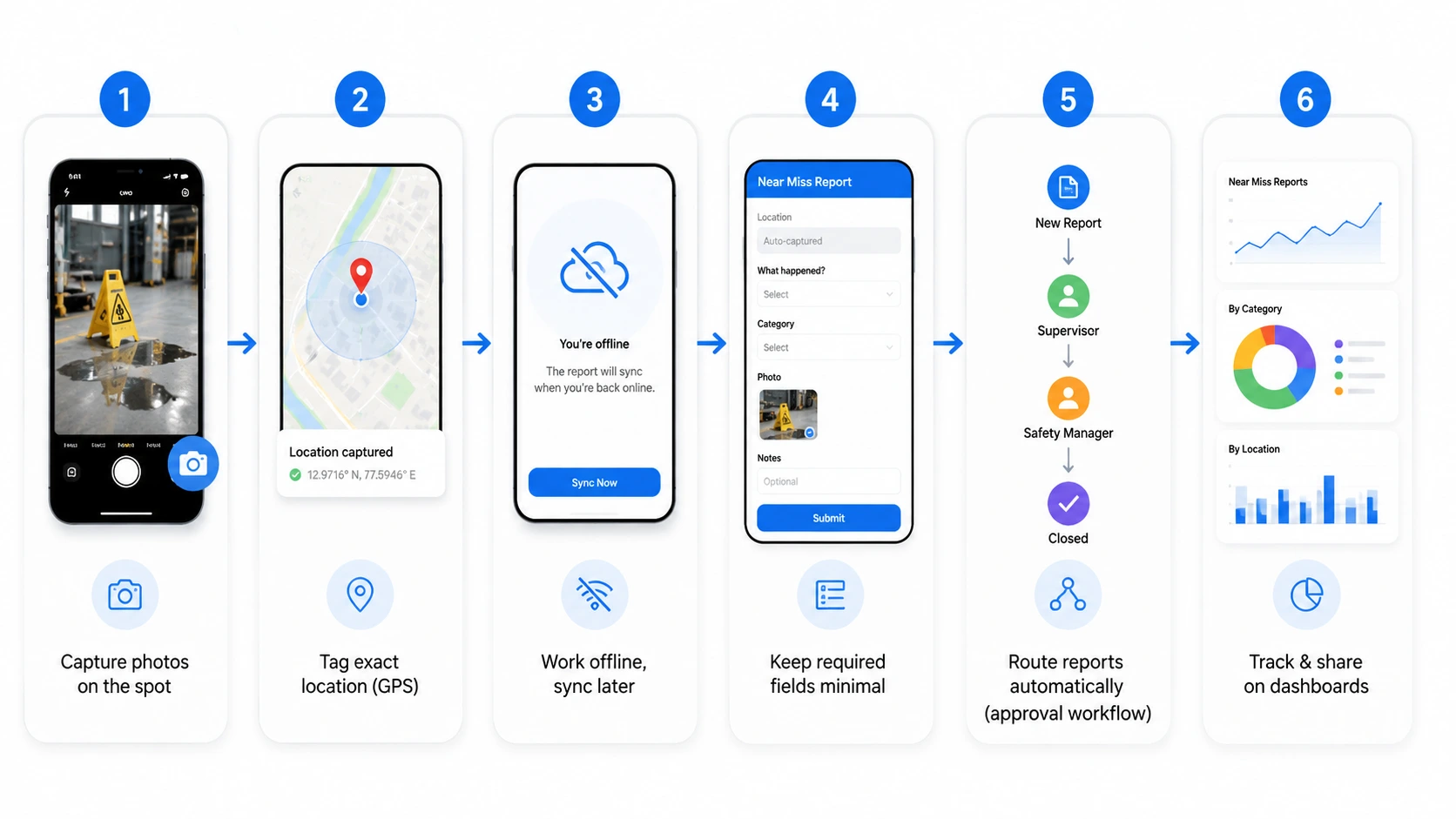
You do not need developers or an off the shelf product to run a strong near miss program. Clappia is a no-code platform, which means you build a custom app from drag and drop blocks and publish it to your team's phones the same day. Because it is your own app, you shape the fields, workflow, and dashboards around how your sites actually work. The blocks below are real Clappia features, drawn from its help guide.
This is the same block based approach Clappia documents for building an incident reporting app and a field data collection app, pointed one step earlier at the near miss. You can see the full block library on the Clappia features page.
Use Case 1: Blame free near miss reporting on a manufacturing floor
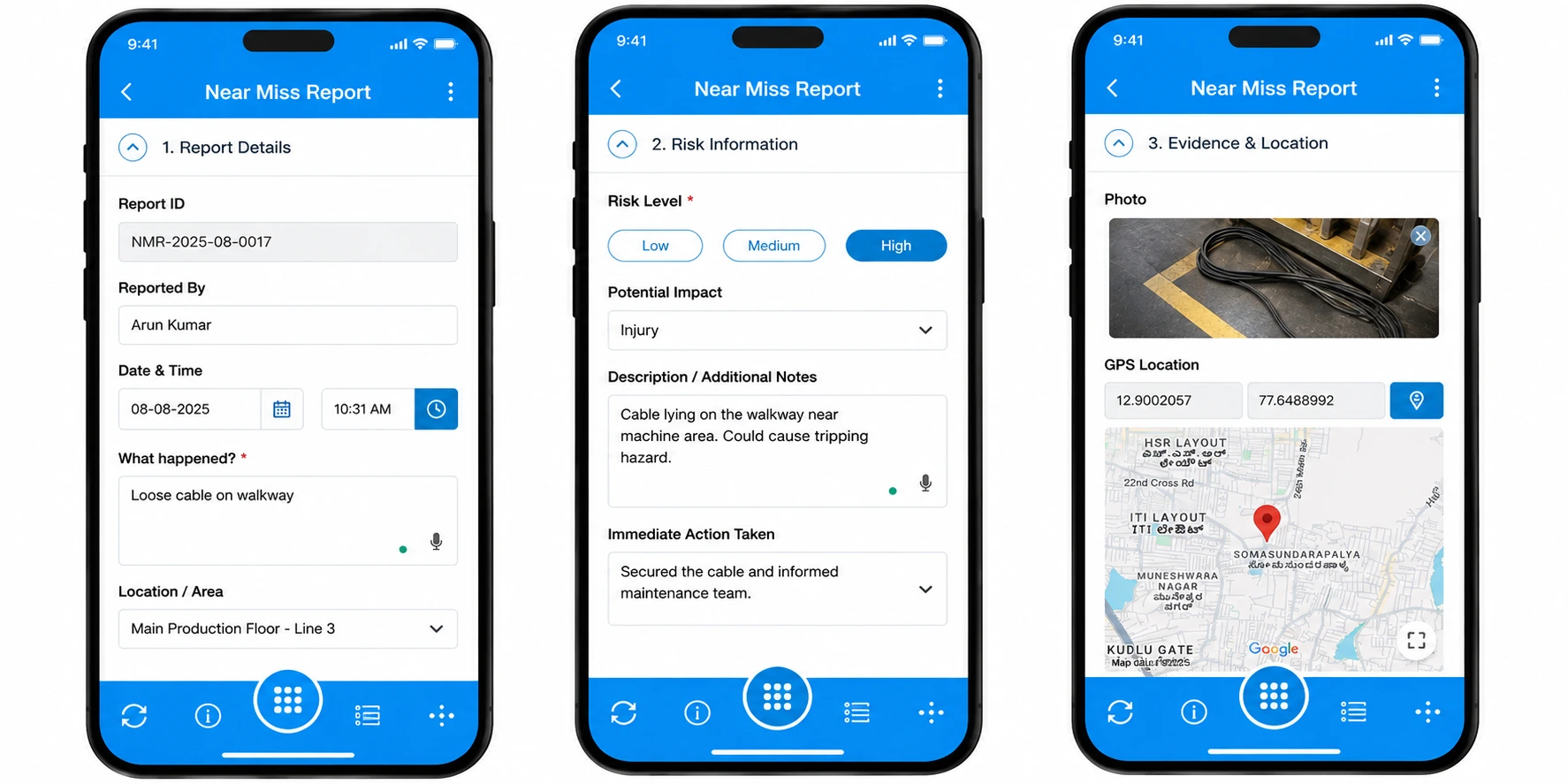
Scenario: A manufacturer noticed that serious injuries were being preceded by hazards nobody had flagged, even though workers clearly saw them. The existing process was a paper form in the supervisor's office, and workers avoided it both because it was slow and because naming a hazard felt like naming a colleague.
With Clappia, the plant built a custom near miss reporting app on every worker's phone. A report takes under a minute: capture a photo with the Camera block, pick a near miss type, add one line, submit. The reporter's name is optional, which lifted the reporting rate sharply, and each submission is GPS tagged and routed automatically to the safety lead through a multi level approval workflow with an owner and due date. Because offline mode captures reports even in signal dead zones on the floor, nothing is lost. Within a quarter the plant was fixing hazards it had never previously heard about, and a shared dashboard of closed actions showed workers their reports were leading to real change.
Use Case 2: App based field maintenance and inspection
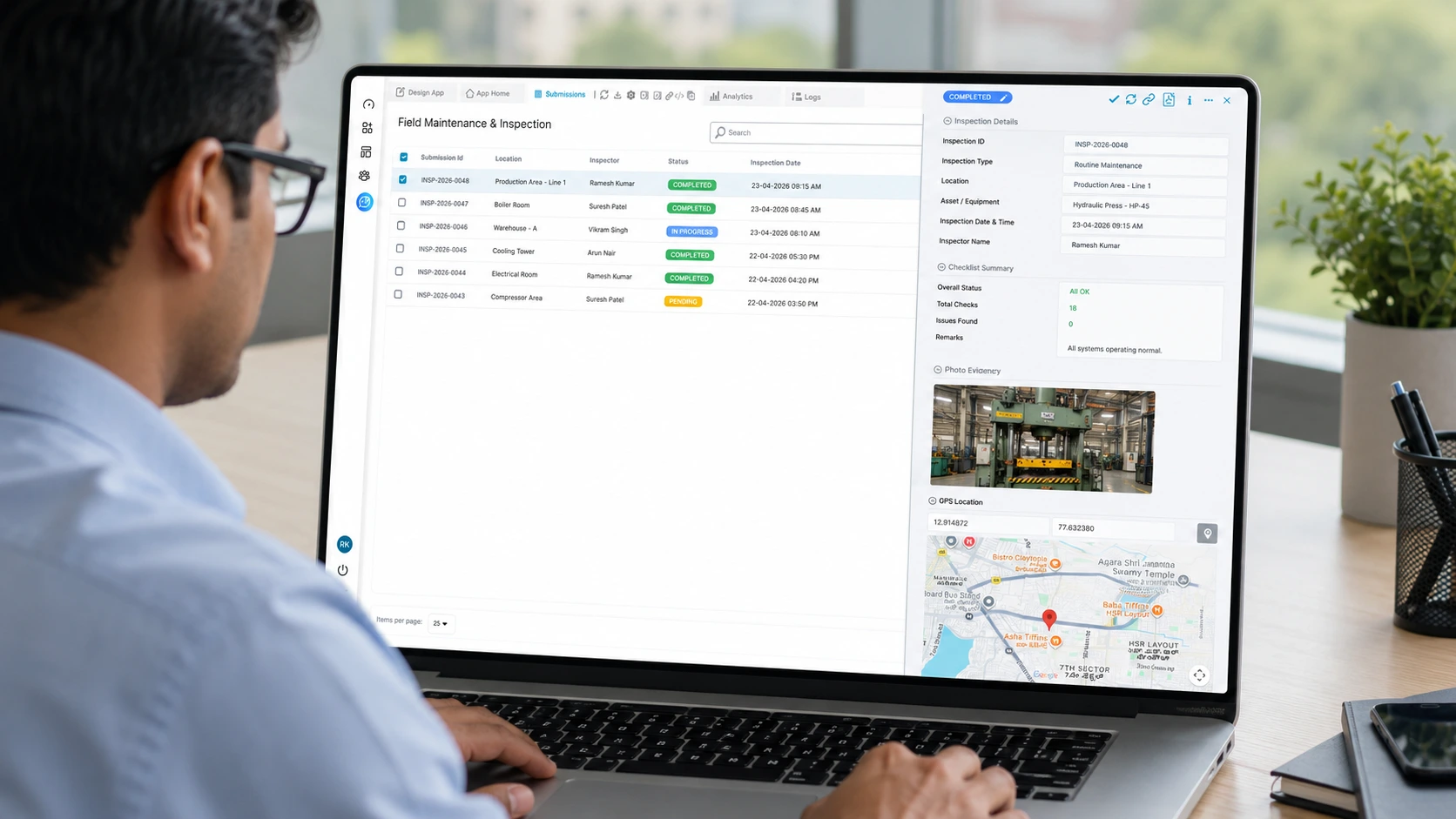
Scenario: A construction company wanted to improve and automate its field maintenance process after it observed that maintainers were submitting field inspection reports without actually visiting the site.
Being a stronger alternative to basic form tools, Clappia can track the geolocation from where the form was filled and submitted, ensuring that the maintainer visits the field. Beyond simple location capture, Clappia lets the maintainer complete a field maintenance checklist and upload images, signatures, and any additional remarks directly in the app, with geofencing and live location tracking confirming genuine site visits. Near misses spotted during those visits are logged on the spot in the same app, so hazards are captured the moment they are seen rather than recalled later.
| Point | Details |
|---|---|
| What it is | A near miss is an unplanned event that could have caused harm but did not, and reporting it is a free warning. |
| Types | Unsafe act, unsafe condition of area, unsafe condition of equipment, unsafe use of equipment, and policy violation. |
| Why it matters | Each near miss is a chance to fix a hazard before it becomes a recordable injury. |
| The core problem | Most near misses go unreported because the process is slow, unclear, or feels risky. |
| How to improve it | Make reporting fast, mobile, and blame free, then investigate and close every report. |
| Build without code | Clappia lets you build a custom near miss reporting app in a day, no developers required. |
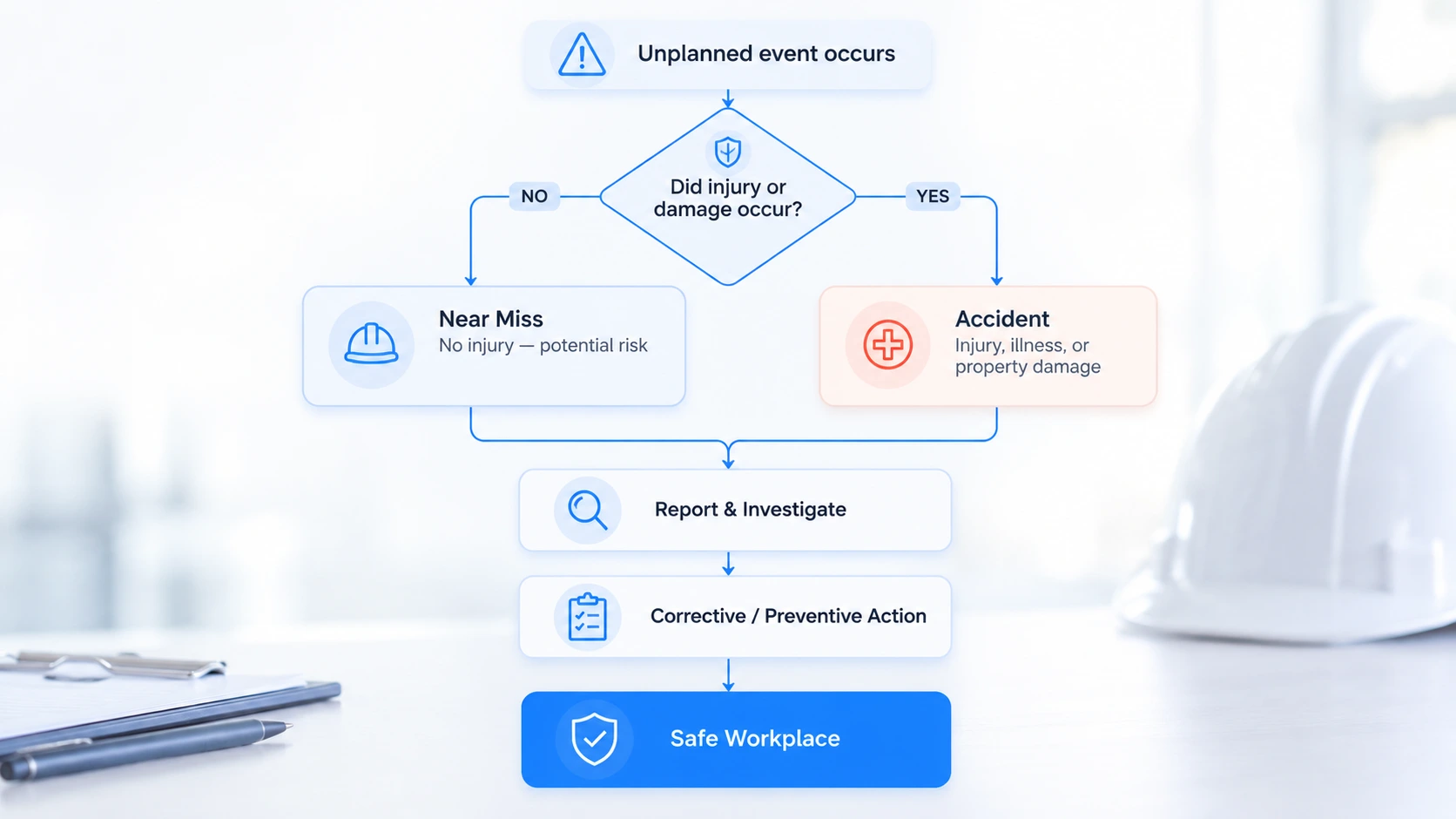
Most organizations focus on designing a better form and underinvest in the two things that actually drive reporting: speed and trust. A worker weighing whether to report a near miss makes a split second cost benefit decision. If reporting is slow or feels like it could get someone in trouble, the report never happens, no matter how well designed the form is. The programs that succeed strip the report down to a photo and a sentence, guarantee no blame, and then visibly act on what comes in. Get those three right and reporting volume climbs on its own. Get them wrong and even the best form stays empty.
Safety teams that rely on paper forms or a desktop portal know the gap: the reports that matter most never get filed. Clappia's no-code platform closes it by letting you build a custom near miss reporting app your frontline will actually use, with real time photo capture, GPS location, offline sync, optional anonymity, and multi level approval routing. Over 2,000 organizations and 300,000 users rely on Clappia to run field and safety workflows at scale. Ready to lift your reporting rate and fix hazards earlier? Start a free build, or schedule a demo at clappia.com.
An incident results in injury, illness, or damage, while a near miss has the same potential but happens to cause no harm. Both should be reported, because the near miss is your chance to prevent the incident.
They are usually grouped by cause: an unsafe act, an unsafe condition of the area, an unsafe condition of equipment, unsafe use of equipment, and a safety policy violation.
Allowing anonymous reporting is one of the most effective ways to raise reporting rates, because it removes the fear of blame. Make the reporter's name optional with a "prefer not to say" choice rather than required.
No. Because a near miss causes no injury or illness, it is not an OSHA recordable event. However, OSHA recommends that employers investigate near misses and close calls to find and fix the underlying hazards.
Yes. On a no-code platform like Clappia you assemble the app from ready made blocks for photos, GPS, and approvals, then publish it to your team's phones the same day.
 Get Started – It’s Free
L374, 1st Floor, 5th Main Rd, Sector 6, HSR Layout, Bengaluru, Karnataka 560102, India
3500 S DuPont Hwy, Dover,
Kent 19901, Delaware, USA


.svg)




3500 S DuPont Hwy, Dover,
Kent 19901, Delaware, USA
L374, 1st Floor, 5th Main Rd, Sector 6, HSR Layout, Bengaluru, Karnataka 560102, India



.avif)

.jpg)
