

The Australian business technology landscape is experiencing a fundamental shift. With the no-code platform market projected to surge from USD 69.3 million (2023) to USD 503.5 million by 2030, organizations across the country are discovering that sophisticated business applications no longer require armies of developers or six-figure budgets.
This transformation couldn't come at a better time. Australia's 2.5 million SMEs face a perfect storm of challenges: chronic developer shortages, escalating IT costs, and relentless pressure to digitize operations. Traditional custom development, costing $50,000-$200,000 per application with 3-12 month timelines, has become impractical for most businesses.
The solution? AI-powered no-code platforms and low-code app builders that enable business users to create enterprise-grade applications themselves. Industry projections suggest 75% of new business applications in 2026 will be built using these platforms rather than traditional coding.
But which platform is right for your Australian business? This comprehensive guide examines 8 leading no-code and low-code solutions, comparing their capabilities, pricing, and suitability for different use cases—from AI workflow automation to mobile field operations.
| Platform | Best For | Free Plan | Paid Plans Start At | Key Strengths | Offline Support | Ease of Use |
|---|---|---|---|---|---|---|
| N8N | AI workflow automation | Yes (Self-hosted, unlimited) | €20/month (Cloud Starter) | AI agents, unlimited workflows, 400+ integrations | No | ⭐⭐⭐⭐ (Technical) |
| Clappia | Business app building, field operations | Yes (Unlimited apps, 400 records/month) | $6/user/month | True no-code, offline mobile apps, GPS tracking, AI-powered | Yes (Full) | ⭐⭐⭐⭐⭐ (Excellent) |
| Microsoft Power Apps | Microsoft-centric enterprises | Yes (Developer plan, free) | $20/user/month | Microsoft ecosystem integration, 700+ connectors | Limited | ⭐⭐⭐ (Moderate) |
| Zoho Creator | Zoho ecosystem users | Yes (1 app, 1 user) | $8/user/month | Zoho suite integration, affordable | Limited | ⭐⭐⭐⭐ (Good) |
| OutSystems | Enterprise-scale applications | Yes (Personal Edition) | $36,000+/year | Mission-critical scalability, full-stack development | Yes | ⭐⭐⭐ (Complex) |
| Appian | Enterprise process automation | Yes (Community Edition) | Custom quote | BPM, RPA, case management | No | ⭐⭐⭐ (Complex) |
| Appsmith | Developer internal tools | Yes (Self-hosted, unlimited) | $15/user/month (Cloud) | Open-source, data security, custom code | No (Web-focused) | ⭐⭐⭐⭐ (Technical) |
| Glide | Quick spreadsheet-to-app conversion | No | $19/month | Rapid development, spreadsheet integration | Yes (Basic) | ⭐⭐⭐⭐⭐ (Excellent) |
Before examining specific platforms, it's important to understand what these terms mean and how they differ:
No-code platforms enable users to build functional applications entirely through visual interfaces—drag-and-drop components, pre-built templates, and configuration options. No programming knowledge required. These tools democratize app development, making it accessible to business users, operations managers, and department leaders.
Low-code platforms offer visual development with the option to add custom code when needed. This hybrid approach provides speed for common tasks while maintaining flexibility for complex requirements.
AI-powered app makers represent the latest evolution, incorporating artificial intelligence for intelligent data extraction, automated workflows, image analysis, and natural language processing—turning platforms into smart assistants for app development.
Australia's market dynamics make this technology particularly relevant:
Rating: ⭐⭐⭐⭐⭐ (4.8/5)
Best For: Teams building AI-driven workflow automations, connecting multiple systems, and creating intelligent business processes

N8N represents the cutting edge of workflow automation, combining traditional no-code/low-code capabilities with advanced AI agent functionality. Unlike traditional automation tools that charge per action or limit workflows, N8N's execution-based pricing and unlimited workflow approach makes it exceptionally powerful for businesses building sophisticated, multi-step automations.
Unlimited Everything N8N's pricing philosophy stands apart: unlimited users, unlimited workflows, unlimited steps. You only pay based on workflow executions (how many times workflows run), not how complex they are. This means you can build extraordinarily sophisticated automations—integrating 20+ systems with conditional logic, loops, and AI processing—without worrying about per-action costs ballooning your budget.
AI Agents and Intelligent Workflows N8N enables creation of autonomous AI agents that can make decisions, process natural language, analyze images, extract data from documents, and orchestrate complex business logic. Using integrations with OpenAI, Claude, Google Gemini, and other AI models, businesses can build intelligent systems that continuously improve operations.
Example use cases:
400+ Pre-Built Integrations N8N connects virtually any business system: CRMs (Salesforce, HubSpot), databases (MySQL, PostgreSQL, MongoDB), cloud storage (Google Drive, Dropbox), communication tools (Slack, Teams, WhatsApp), marketing platforms (Mailchimp, SendGrid), and specialized Australian business tools.
Self-Hosting Freedom The N8N Community Edition is completely free when self-hosted—unlimited executions, unlimited workflows, unlimited users. For organizations with technical capacity or wanting complete data control, this represents extraordinary value. Your only costs are infrastructure (typically $10-50/month for AWS or Digital Ocean hosting).
Verdict: N8N excels when your primary need is connecting systems and automating processes with AI intelligence. It's the platform of choice for businesses wanting sophisticated workflow automation without per-task pricing constraints. However, for building complete business applications with user interfaces, forms, and mobile capabilities, platforms like Clappia are more appropriate.
Rating: ⭐⭐⭐⭐⭐ (4.8/5)
Best For: Building complete business applications, mobile field operations, offline-capable apps, and AI-powered data collection
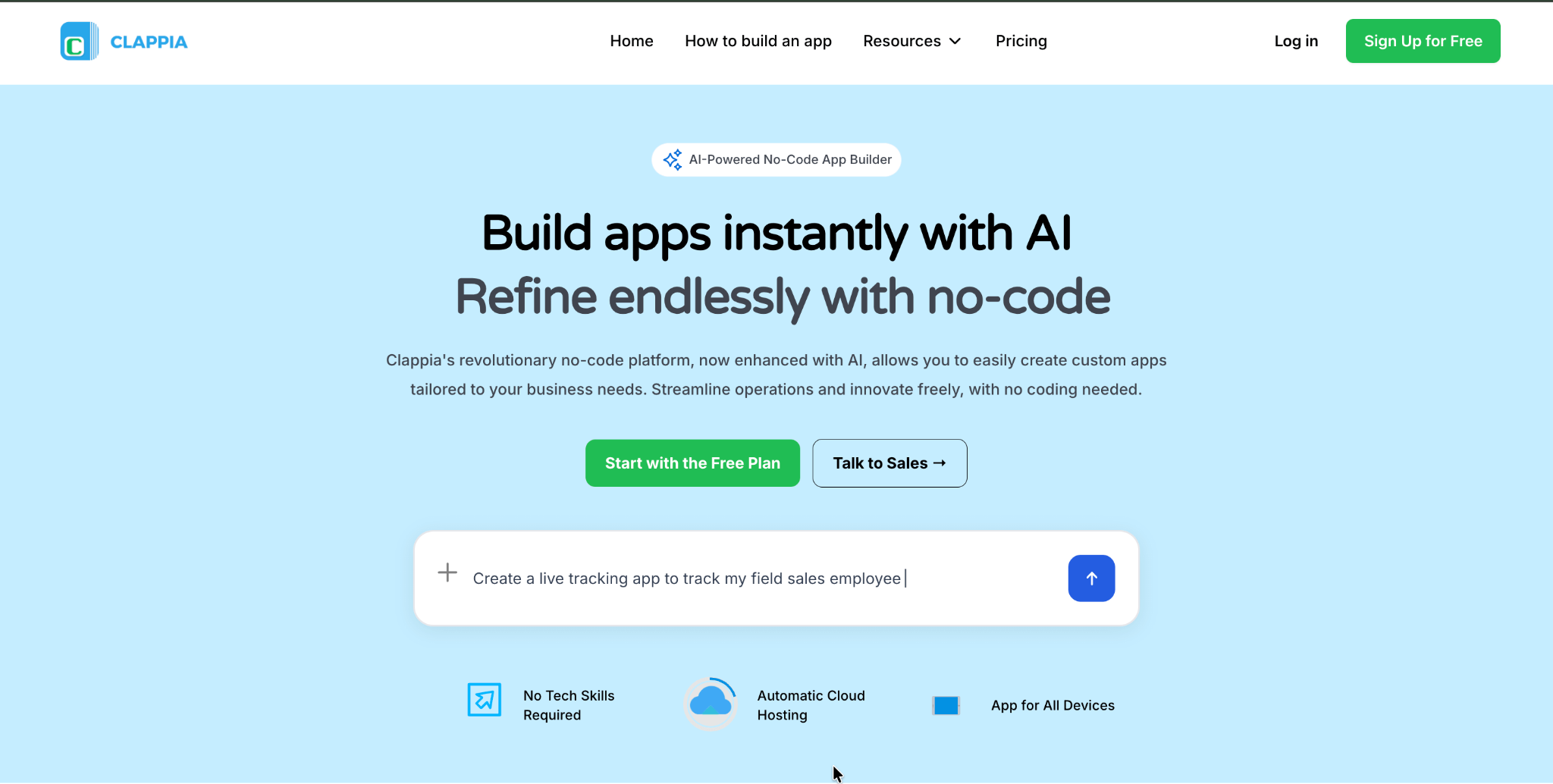
While N8N excels at workflow automation behind the scenes, Clappia is purpose-built for creating complete business applications that users interact with directly—think mobile field apps, inspection checklists, attendance systems, customer forms, and operational dashboards.
True No-Code for Business Users Clappia achieves what many platforms only claim: genuine no-code development accessible to non-technical business users. Operations managers, department heads, and business analysts can build production-grade applications without writing a single line of code or involving IT departments. The platform uses familiar concepts—similar to working with Excel spreadsheets—eliminating the learning curve that plagues many alternatives.
Verified customer testimonial:
"User friendly where an application can be created and rolled out in 8 hours with simple steps and give access to non-domain users too."
Field Operations Excellence Clappia directly addresses Australia's unique geographic challenges with features specifically designed for distributed workforces:
AI-Powered Data Processing Clappia's AI capabilities leverage OpenAI, Claude, and Google Gemini to transform how businesses handle data:
Exceptional Value Proposition At $6-10/user/month, Clappia costs 60-93% less than competing platforms while delivering superior operational features:
One Australian customer noted:
"Clappia saves around 50% of our time and efforts thanks to its drag & drop application builder which doesn't require any prior coding experience."
Comprehensive Feature Set
Clappia provides everything needed for operational apps:
Rapid Deployment Unlike enterprise platforms requiring 2-6 months of implementation, Clappia applications move from concept to production in 1-4 weeks. Simple apps can be built and deployed in hours.
Free Plan (Lifetime):
Starter Plan: $6/user/month
Professional Plan: $8/user/month
Enterprise Plan: $10/user/month
Start building with Clappia's free plan today.
Clappia consistently earns exceptional marks for customer support:
"Outstanding support with client-driven work ethic. When standard formulas weren't enough, the Clappia team was quick to suggest creative logic to get the results we needed."
"EXCELLENT customer service—if there was something I couldn't do, they either directed me to helpful resources or did it for me."
For regional Australian businesses with limited technical resources, this level of support can determine project success or failure.
Verdict: Clappia is the definitive choice for Australian businesses needing to build complete applications—forms, mobile apps, inspection checklists, task management systems—especially those with field operations or requiring offline capabilities. Its combination of true no-code accessibility, comprehensive features, exceptional pricing, and outstanding support makes it the best all-around platform for SMEs and mid-market organizations.
Explore Clappia's features or view pricing plans to get started.
Rating: ⭐⭐⭐ (4.6/5 technical capability, 3/5 SME suitability)
Best For: Large enterprises deeply invested in Microsoft 365, Dynamics 365, and Azure infrastructure
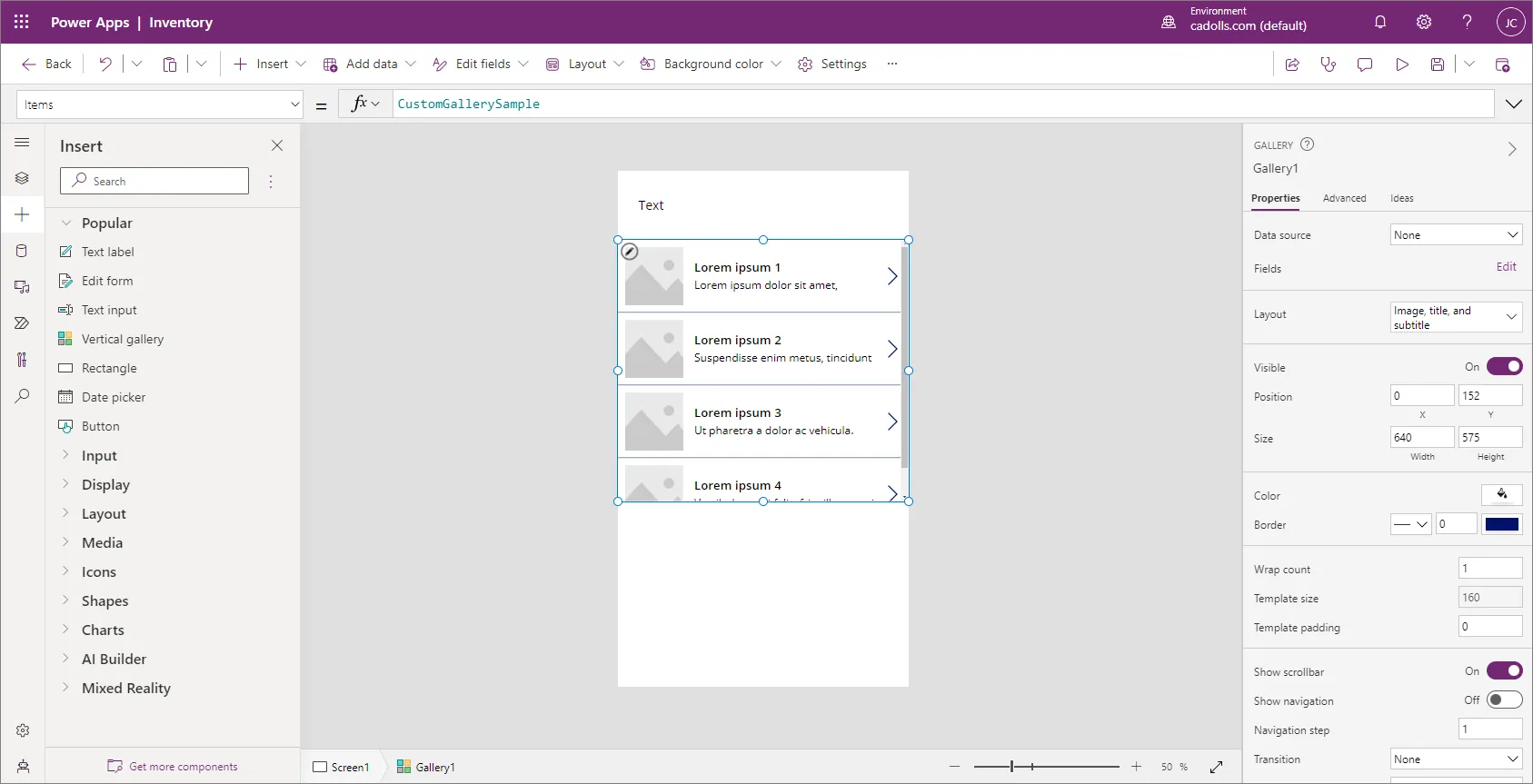
Microsoft Power Apps dominates the enterprise segment, particularly for organizations where Microsoft products form the backbone of IT infrastructure. As part of the broader Power Platform ecosystem, it integrates seamlessly with Office 365, Teams, SharePoint, and Azure services.
Free Developer Plan: Available for learning and development
30-Day Free Trial: Full Power Apps per user plan trial
Paid Plans:
Complex Pricing: While advertised at $20/user/month, actual costs quickly escalate:
Learning Curve: Power Apps requires understanding Microsoft-specific concepts:
Earns only 3/5 for ease of use compared to Clappia's 5/5.
Limited Offline Support: Offline capabilities require significant configuration and remain limited compared to platforms designed for field-first operations.
IT Dependency: Most implementations require substantial IT involvement for governance, security configuration, and ongoing maintenance.
Not Recommended For: SMEs with limited IT resources, field-first operations requiring robust offline support, or organizations seeking transparent, predictable pricing.
Rating: ⭐⭐⭐⭐ (4.3/5)
Best For: Small businesses already using Zoho CRM, Books, or other Zoho products
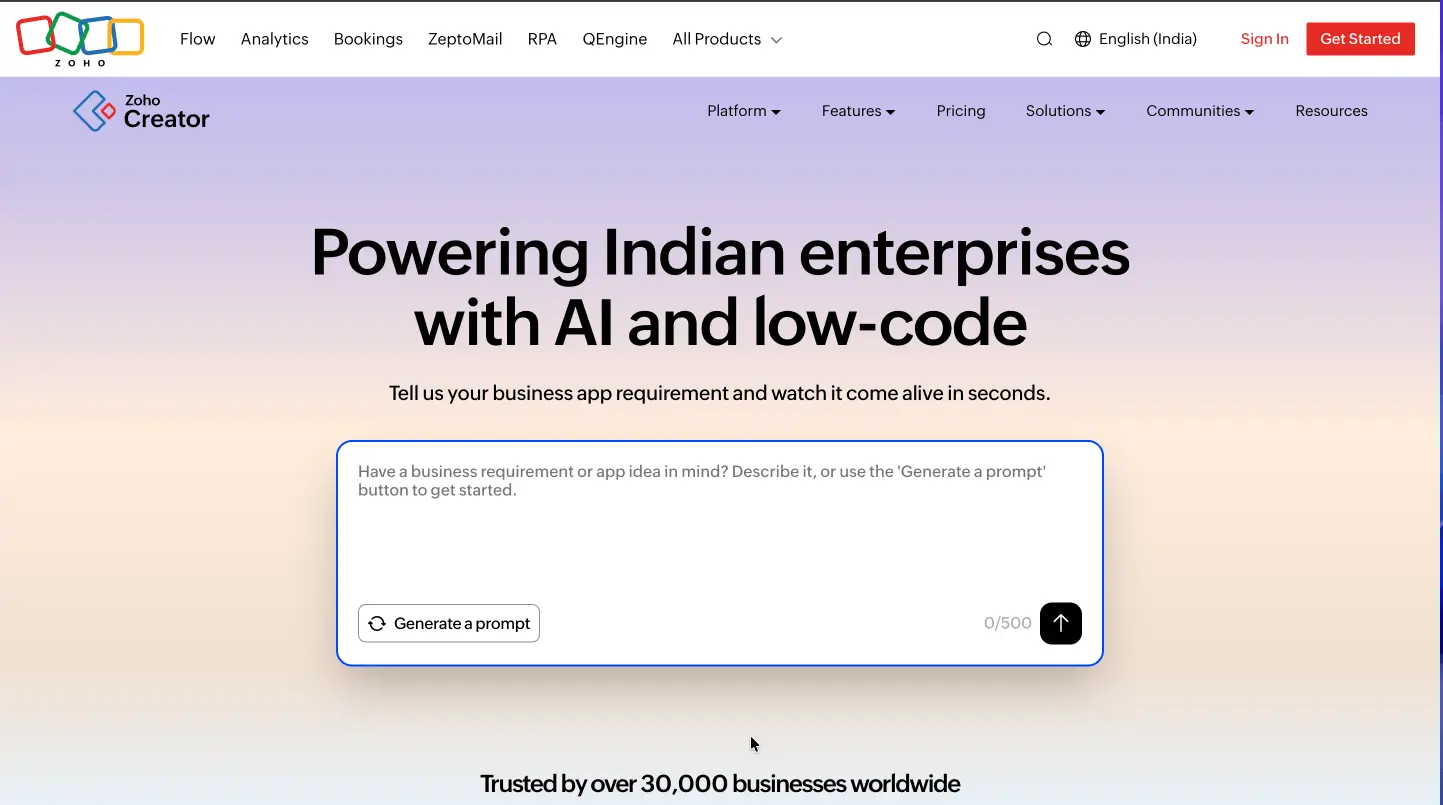
Zoho Creator targets budget-conscious small businesses with basic app-building needs, especially those already invested in the Zoho ecosystem. It offers reasonable pricing and straightforward functionality for simple to moderately complex applications.
Free Plan: Available but very limited
15-Day Free Trial: Full-featured trial of premium plans
Paid Plans:
Requires Deluge Scripting: Unlike Clappia's true no-code approach, Zoho Creator requires learning "Deluge" (Zoho's proprietary scripting language) for advanced automation. This creates barriers for non-technical users and often necessitates IT support.
Limited Field Operations Features: While supporting mobile deployment, Zoho Creator lacks the offline-first architecture and field-specific capabilities (comprehensive GPS tracking, geofencing, live tracking, robust offline sync) that Australian field operations require.
Smaller Ecosystem: Zoho's user community and third-party integrations are significantly smaller than platforms like Power Apps or Clappia, limiting resources for troubleshooting.
When comparing Zoho Creator to Clappia, Australian businesses consistently choose Clappia for superior ease of use, better field operations optimization, and true no-code capabilities—all at comparable or lower pricing.
Rating: ⭐⭐ (4.6/5 technical capability, 2/5 SME suitability)
Best For: Large enterprises requiring mission-critical applications at massive scale
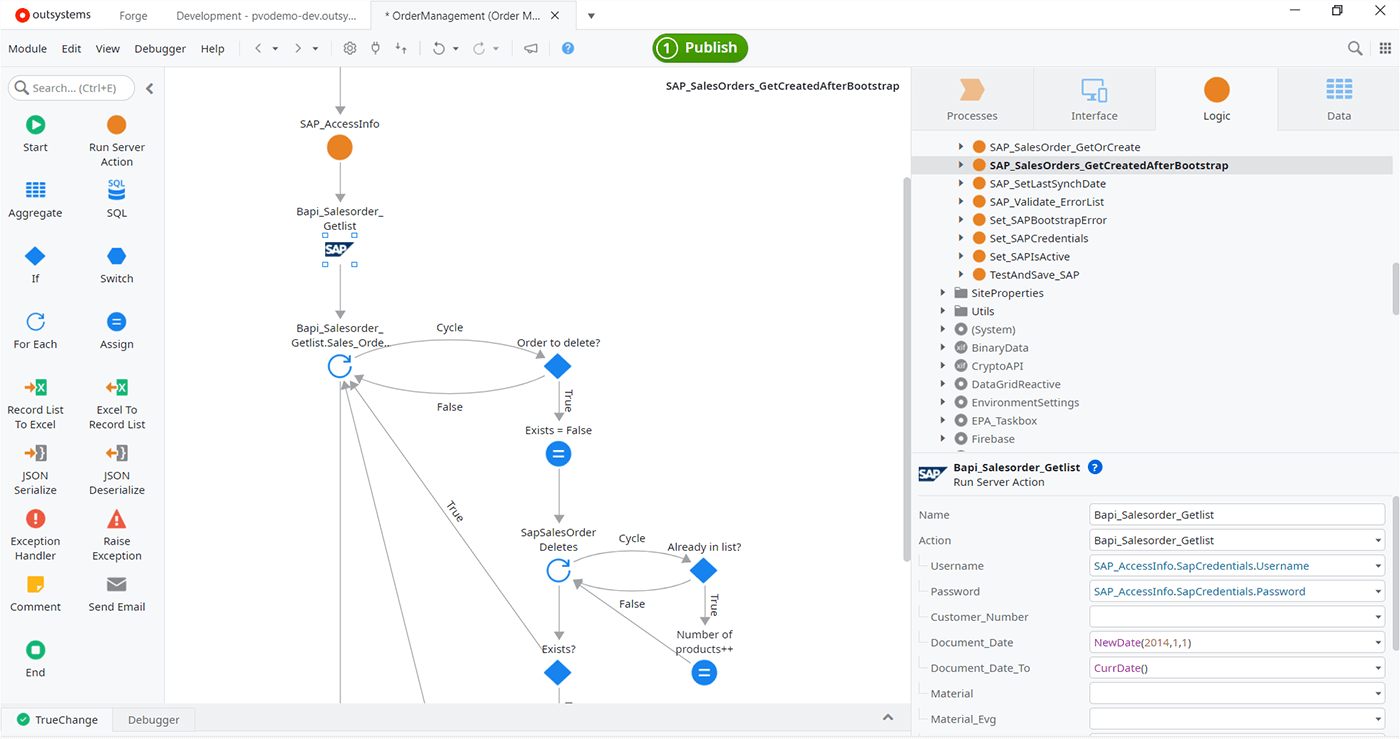
OutSystems represents the premium tier of low-code platforms, designed for building complex, high-performance applications that serve thousands of concurrent users. Financial institutions, government agencies, and large enterprises use OutSystems for digital transformation projects requiring robust scalability.
Personal Edition: Free for learning (non-production use)
Paid Plans: Starting at $36,000+/year minimum
Prohibitive Cost: At $36,000+ minimum annual cost, OutSystems exceeds the entire IT budget of typical Australian SMEs. For comparison, Clappia provides similar operational capabilities for $720-$2,500 annually for a 10-user team—a 95-98% cost difference.
Complexity Overkill: Most Australian SMEs building field inspection apps, attendance systems, or delivery tracking simply don't need mission-critical enterprise scalability. The platform's power becomes a liability when business users can't modify apps without specialized developers.
Implementation Requirements: OutSystems projects require certified developers or specialized consulting partners, adding months to timelines and tens of thousands in professional services fees.
Not Recommended For: Any organization without dedicated development teams and six-figure budgets.
Rating: ⭐ (4.5/5 for enterprise capabilities, 1/5 for SME suitability)
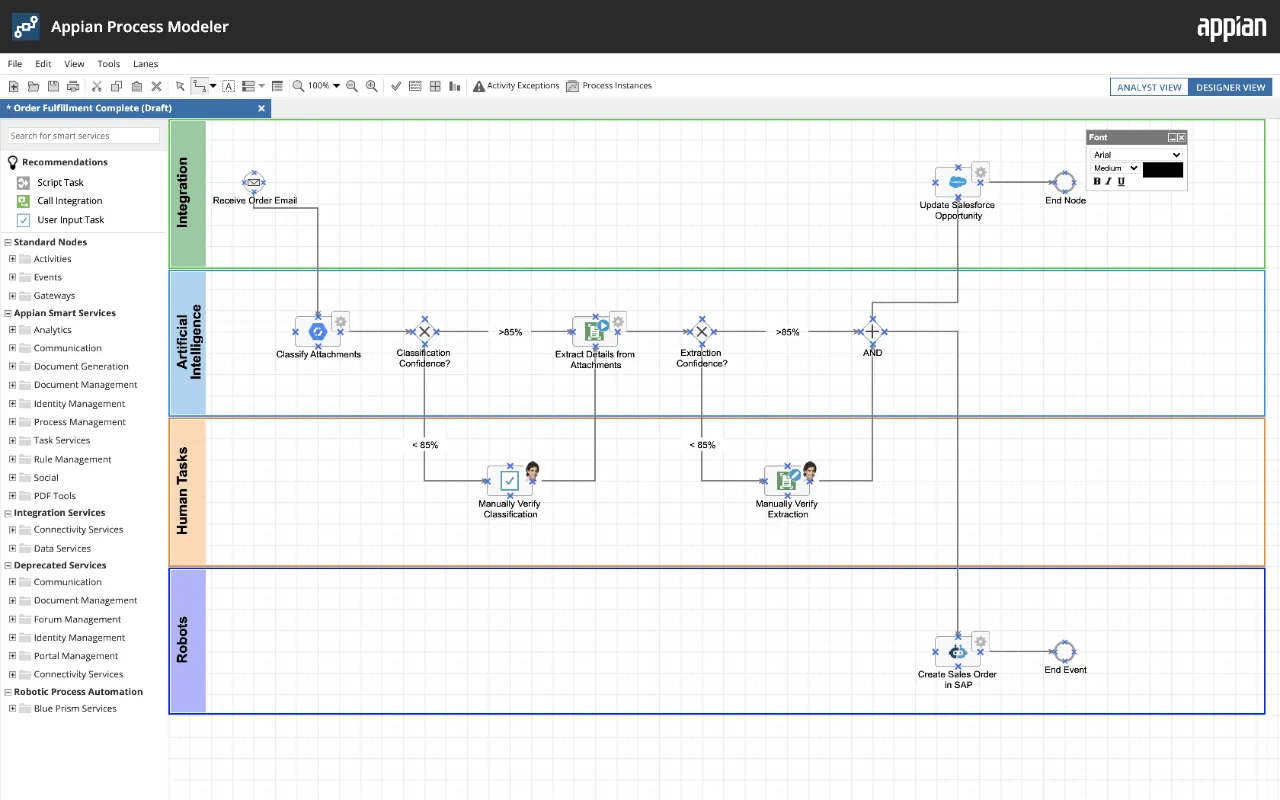
Appian specializes in Business Process Management (BPM), case management, and regulatory compliance workflows. It's designed for organizations where process orchestration across multiple departments and legacy systems is paramount.
Community Edition: Free for non-commercial use
Paid Plans: Custom quote-based pricing, typically $10,000-$50,000+/year minimum
Enterprise-Only Focus: Appian doesn't target SMEs. Pricing requires annual minimums beyond most small business budgets.
Implementation Complexity: Most deployments involve certified Appian partners with 6-18 month implementation timelines.
Feature Overkill: Australian SMEs building operational apps don't need enterprise BPM capabilities. Clappia's simpler approach delivers faster results.
For 99% of Australian SMEs, Clappia's more accessible approach delivers operational results without enterprise complexity.
Rating: ⭐⭐⭐ (4.7/5 for technical teams)
Best For: Development teams building custom internal tools with complete data control

Appsmith takes a different approach, targeting technical teams wanting rapid internal tool development with custom code capabilities. As an open-source platform, it offers complete transparency and self-hosting options.
Community Edition (Self-Hosted): Free forever, unlimited
Cloud Plans:
Free Trial: Available for cloud Business plan
Requires Technical Expertise: Despite visual tools, Appsmith explicitly targets developers and technical analysts, not business users.
Limited Mobile Optimization: Web-first architecture lacks native mobile capabilities and offline support critical for Australian field operations.
Smaller Ecosystem: Fewer pre-built templates and integrations compared to commercial platforms.
For non-technical business users building field operations apps, Clappia's true no-code approach is far more appropriate.
Rating: ⭐⭐⭐⭐ (4.6/5)
Best For: Quick conversion of existing spreadsheets into simple mobile/web apps
Best For: Quick conversion of existing spreadsheets into simple mobile/web apps
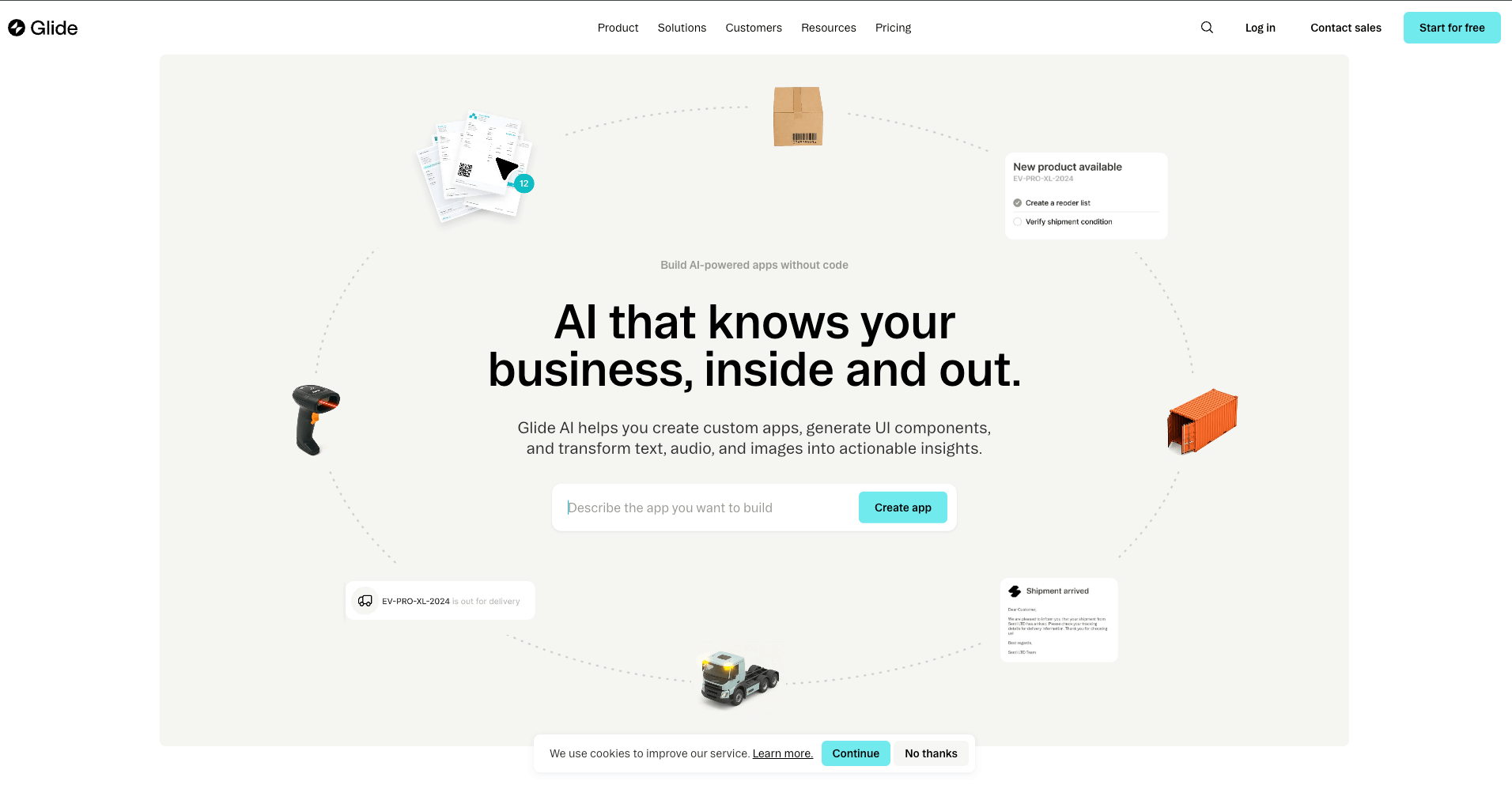
Glide specializes in transforming spreadsheets (Google Sheets, Excel, Airtable) into mobile and web applications with remarkable speed—often in hours rather than days.
No Free Plan (unlike Clappia)
Paid Plans:
Limited Customization: Glide intentionally keeps UI simple and consistent, offering minimal branding flexibility.
Not for Complex Workflows: Excels at data display but struggles with multi-step approval workflows, conditional routing, and complex business logic that Clappia handles natively.
Field Operations Gaps: While supporting mobile deployment, lacks comprehensive offline functionality, GPS geofencing, live tracking, and QR code scanning that Clappia provides.
For Australian businesses requiring field force management, comprehensive workflow automation, or operational complexity, Clappia provides vastly greater capabilities at comparable pricing.
✅ Sophisticated AI-driven workflow automation
✅ Connecting 5+ business systems with intelligent routing
✅ Unlimited workflows without per-action pricing
✅ Self-hosting with complete data control
✅ AI agents for document processing, customer service, or data orchestration
Explore N8N's automation capabilities
✅ Complete business applications (forms, mobile apps, dashboards)
✅ Field operations with offline capability and GPS tracking
✅ True no-code accessible to non-technical business users
✅ AI-powered data extraction and processing
✅ Exceptional value ($6-10/user/month with free plan)
✅ Australian data hosting for compliance
✅ Outstanding customer support
✅ Rapid deployment (1-4 weeks)
Start building with Clappia's free plan or explore features.
By 2030, Australia's no-code market will exceed $500 million, with 75% of new applications built using these platforms. Key trends shaping this growth:
Platforms like Clappia's AI capabilities and N8N's AI agents are transforming what's possible without traditional coding—automated data extraction, intelligent image analysis, smart workflow routing.
The convergence of no-code platforms with AI, RPA, and workflow automation enables complete end-to-end process automation without developers.
Business users creating their own applications will accelerate as platforms become more accessible. This democratization reduces IT backlogs and speeds innovation.
As Australia's workforce becomes increasingly mobile and distributed, platforms with robust offline support and field capabilities will dominate.
The "best" platform depends entirely on your specific requirements:
For AI-powered workflow automation connecting multiple systems, N8N's unlimited approach and AI agent capabilities are unmatched.
For building complete business applications, especially with field operations, Clappia delivers the optimal combination of true no-code accessibility, comprehensive features, exceptional pricing ($6-10/user/month with lifetime free plan), rapid deployment, and outstanding support.
For large Microsoft-centric enterprises, Power Apps provides deep ecosystem integration despite higher costs and complexity.
For enterprise-scale mission-critical applications, OutSystems and Appian offer robust capabilities at premium prices.
The data is clear: For Australia's 2.5 million SMEs and mid-market organizations, platforms that combine genuine no-code accessibility, field-optimized features, AI-powered capabilities, and affordable pricing deliver the fastest path to digital transformation.
Whether you're automating workflows with N8N or building mobile field apps with Clappia, the no-code revolution has made enterprise-grade application development accessible to every Australian business—no developers required.
Ready to transform your operations?
Q: What's the difference between no-code and low-code platforms?
No-code platforms like Clappia enable building applications entirely through visual interfaces without any coding. Low-code platforms offer visual development but allow adding custom code for complex requirements. For Australian SMEs with limited technical resources, no-code platforms provide faster deployment without scarce development talent.
Q: Which platform offers the best free plan?
Clappia offers the most generous free plan with unlimited apps, up to 100 users per app, and 400 records/month—perfect for testing or small internal tools. N8N's self-hosted Community Edition is completely free with unlimited everything but requires technical setup. Most other platforms offer limited free trials (15-30 days) rather than true free plans.
Q: Can no-code platforms handle complex business workflows?
Yes, platforms like Clappia support sophisticated multi-level approval workflows, conditional routing, integrations with external systems, and complex business logic—all without coding. N8N handles extremely complex multi-system automations with AI decision-making.
Q: Do these platforms work offline in remote Australian locations?
Not all platforms support offline functionality. Clappia provides full offline capability with automatic synchronization—essential for construction sites, mining operations, and regional field services. N8N, Power Apps, and most others require constant internet connectivity.
Q: How long does it take to build an app?
With Clappia, simple apps can be built in hours, complex operational applications in 1-4 weeks. N8N workflow automations range from hours to days. This compares to 2-6 months with Power Apps and 6-18 months with enterprise platforms.
Q: Are these platforms secure for business data?
Platforms like Clappia offer enterprise-grade security including SOC 2 and ISO 27001 certification, encrypted data transmission, role-based access control, and Australian data hosting options for compliance. Always verify security certifications when selecting a platform.
Q: Can I integrate with existing business systems?
Yes. Clappia supports Google Sheets, databases (MySQL, PostgreSQL, SQL Server), REST APIs, and 1000+ applications via Zapier. N8N offers 400+ native integrations with virtually any business system.
Q: What's the typical ROI?
Customers report 50% time savings, deployment in as little as 8 hours, and 2-3 month ROI payback periods with platforms like Clappia. Traditional development costs $50,000-$200,000; Clappia delivers similar results for $720-$2,500 annually.
L374, 1st Floor, 5th Main Rd, Sector 6, HSR Layout, Bengaluru, Karnataka 560102, India
3500 S DuPont Hwy, Dover,
Kent 19901, Delaware, USA


.svg)




3500 S DuPont Hwy, Dover,
Kent 19901, Delaware, USA
L374, 1st Floor, 5th Main Rd, Sector 6, HSR Layout, Bengaluru, Karnataka 560102, India

%20(1).png)



.avif)