Formester is an online form builder used to create registration forms, surveys, feedback forms, application forms, lead capture forms, and other business forms without coding. It helps individuals and businesses build custom online forms, collect data, and automate form submissions.
Looking for the best Formester alternative? You may be looking for a simpler pricing model, more flexibility, stronger integrations, offline support, or a form builder that can handle both simple online forms and more advanced business processes as your requirements grow. Formester is a capable online form builder, but it may not be the right choice for everyone.
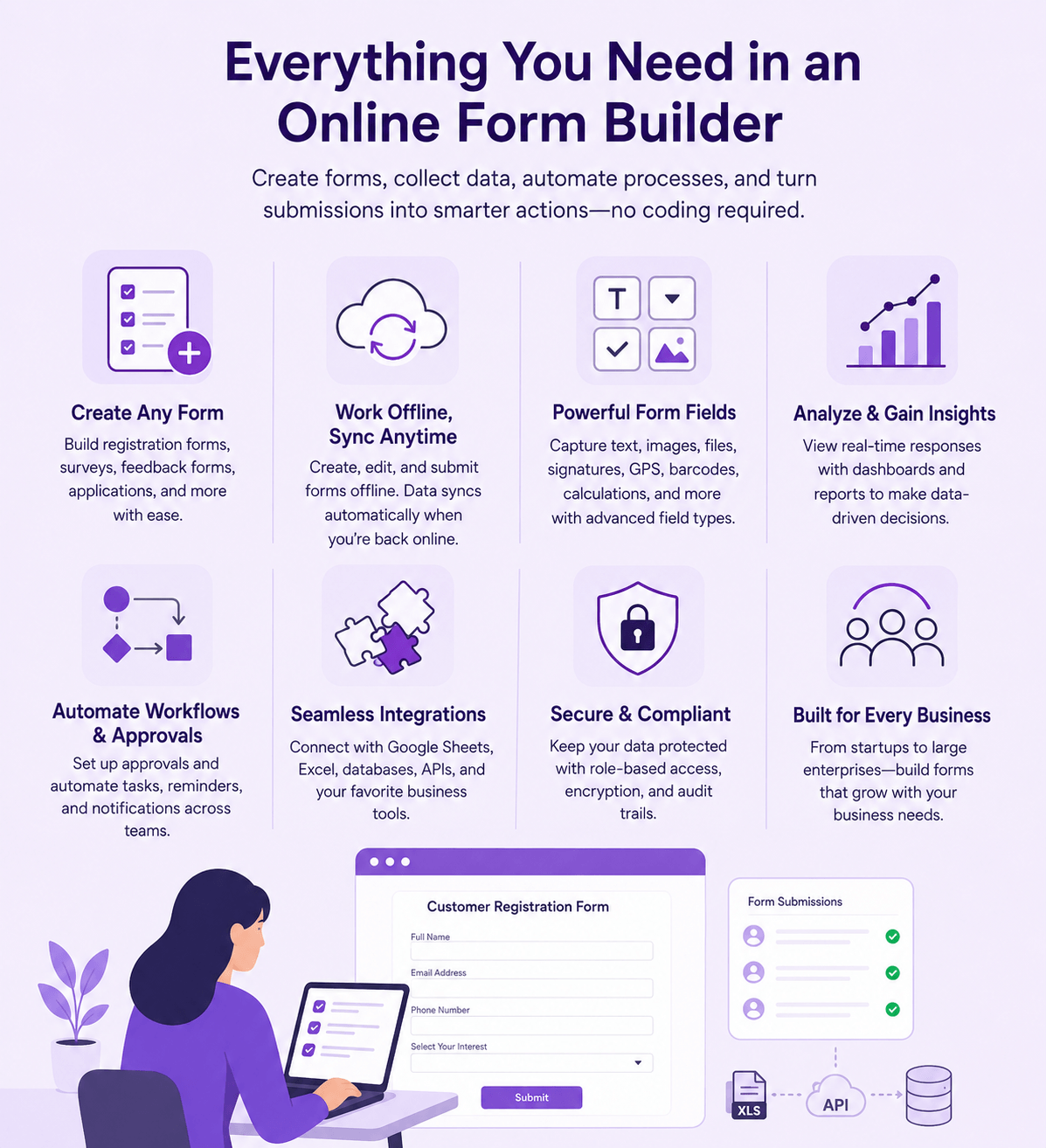
If you're looking for the best Formester alternatives in 2026, this guide compares some of the top Formester competitors. Whether you need an online form builder for data collection, customer registrations, surveys, digital forms, or business workflows, these alternatives offer different capabilities to help you choose the right form builder for your needs.
Clappia is one of the most versatile online form builders available today, making it an excellent alternative to Formester. You can create registration forms, surveys, inspection forms, feedback forms, application forms, lead capture forms, order forms, and virtually any other online form without coding. Unlike many online form builders that focus primarily on collecting responses, Clappia lets you create forms that can become part of the way your business operates. Whether you need a simple online form or a solution that supports more advanced business requirements, Clappia gives you the flexibility to do both without switching platforms or adding unnecessary complexity.
Key Features
Pricing
Clappia offers a free plan. Paid plans start at $8 per user/month, with Professional and Enterprise plans offering additional features and custom pricing for larger organisations.
Jotform is a widely used online form builder that helps businesses create and manage forms for registrations, applications, surveys, payments, feedback collection, and other data collection needs. It is known for its large template library, extensive integrations, and tools that help users collect information without needing technical expertise. The platform also provides features for organizing submissions, customising form appearance, and creating personalised form experiences through its visual builder.
Key Features
Pricing
Jotform offers a free plan with limited forms, submissions, and storage. Paid plans start at $34/month when billed annually, with higher plans offering increased limits and additional features. Enterprise pricing is available for larger organisations.
Typeform is a form builder recognised for its visually engaging, conversational design that turns online forms into interactive experiences rather than static question lists. It's widely used by marketing and product teams building lead capture forms, feedback surveys, event registration forms, and quizzes where design and engagement matter as much as the questions themselves. Because of this focus on presentation, businesses often pick Typeform when they want a form to double as a branded touchpoint rather than a purely functional data collection form. It tends to be less suited to structured, high-volume business forms or processes that need a form to trigger approvals or downstream workflows.
Key Features
Pricing
Typeform offers a limited free plan. Paid plans start at around $25/month for the Basic plan when billed annually, with Plus, Business, and Enterprise plans offering higher response limits, custom branding, and advanced features.
SurveyMonkey is a survey and form platform recognised for helping organisations run structured feedback programs, market research studies, and employee experience surveys. It's widely used across industries such as retail, healthcare, education, and professional services, wherever teams need a dedicated survey form builder with built-in analysis tools rather than a general-purpose online form builder. SurveyMonkey leans heavily toward research and feedback use cases, so businesses looking for a form builder to manage operational forms, field inspections, or approval-based business forms typically need to look beyond it.
Key Features
Pricing
SurveyMonkey offers a free Basic plan with limited questions and responses per survey. Paid individual plans start at around $39/month (Advantage, billed annually), while Team plans start at $30/user/month with a three-seat minimum. Premier and Enterprise plans are available with custom pricing for organisations that need advanced features.
Formstack is recognised as a form builder built for regulated and process-heavy businesses that need online forms to connect directly into document generation, e-signatures, and compliance workflows. It's commonly used by healthcare, financial services, and enterprise teams building intake forms, HIPAA-related forms, and approval-based business forms rather than simple one-off surveys. Because Formstack packages its form builder alongside separate Documents and Sign products, it tends to suit organisations that need an end-to-end paperwork process, more than teams looking for a lightweight, standalone form builder.
Key Features
Pricing
Formstack's core Forms plan starts at around $50/month when billed annually. Suite plans that bundle document generation and e-signature tools are priced higher, and Enterprise plans are available with custom pricing for larger organisations.
Fillout is known as a form builder built around integrations, letting teams connect their online forms directly to databases and lightweight workflow tools such as Airtable, Notion, and Google Sheets. It's often used by startups, small teams, and internal-operations use cases that want form data to land directly inside the tool they already work in, instead of exporting spreadsheets manually. Fillout covers a wide range of field types and logic for a form builder at its price point, but it doesn't support offline form filling, which matters for teams collecting field or event data without reliable internet access.
Key Features
Pricing
Fillout offers a free plan with limited monthly responses. Paid plans start at around $19/month when billed annually, with Pro and Business plans offering higher response limits and additional features.
Tally is recognised for its minimal, document-style form builder that lets anyone build a simple online form in a clean, distraction-free interface, similar to writing in a text editor. It's a popular choice among solo creators, small teams, and startups building lead capture forms, feedback forms, and lightweight internal forms who want unlimited forms and responses without committing to a paid plan upfront. Tally's simplicity is also where it draws the line: it's built for straightforward form building rather than business forms that need offline access, multi-level approvals, or advanced automation.
Key Features
Pricing
Tally offers a free plan with unlimited forms and responses. Paid plans start at $29/month for the Pro plan, with a Business plan available at $89/month for additional controls.
Zoho Forms is a widely used online form builder, best known among businesses already invested in the Zoho ecosystem, where forms need to feed directly into Zoho CRM, Zoho Desk, or other Zoho apps. It's commonly chosen by small and mid-sized businesses building lead capture forms, internal request forms, and customer intake forms that plug into an existing Zoho-based workflow. Outside the Zoho ecosystem, Zoho Forms functions as a capable but fairly basic form builder, and teams often compare it against dedicated form builders for features like offline access or specialised business form components.
Key Features
Pricing
Zoho Forms offers a free plan. Paid plans start at $12/month for the Basic plan, with Standard, Professional, and Premium plans offering higher submission limits and advanced features.
If you're comparing Formester alternatives, you're likely looking for more than just another way to collect form responses. You want a form builder that can keep up as your online forms move from simple data collection into real business processes, like approvals, notifications, and reporting.
Here's why many businesses and teams choose Clappia as their online form builder over Formester and other form builder software:
Whether you're building registration forms, feedback forms, inspection forms, or lead capture forms, Clappia gives you an online form builder that's simple enough to start with today and capable enough to support your business as your form requirements change, without needing to move to another form builder later.
The best Formester alternative depends on whether you need simple online forms, offline data collection, or forms tied to business workflows. Clappia is the strongest overall pick for businesses that expect their form needs to grow, while Jotform and Typeform suit teams focused on templates or design-led forms.
Choosing the right Formester alternative depends on the type of forms you build, how you plan to use the data you collect, and whether the form builder can keep up as your requirements change. While some Formester competitors are built purely for surveys or simple data collection, others are designed to support online forms that connect to broader business processes.
Before selecting an online form builder, consider whether it can support both your current form-building needs and the ones you're likely to have in the future.
What should you look for in a Formester alternative?
A good Formester alternative should match your form complexity, offline requirements, pricing model, and ease of use, not just replicate Formester's core form-building features. Look beyond templates and design, and check whether the form builder can also handle logic, approvals, offline access, and predictable pricing as your usage grows.
Does the Formester alternative support both simple and advanced forms?
Not every Formester competitor does. Some form builders are built for one end of that range, either simple surveys or complex business workflows, but not both. Clappia is built to handle both, so you can start with a simple online form and add logic, approvals, and automation later without switching to a different form builder.
Can the form builder work offline?
Most online form builders, including Formester, require an internet connection to collect responses. Clappia is one of the few Formester alternatives that supports full offline form filling, letting field teams collect data without interruptions and sync it automatically once they're back online.
How does pricing scale as your form usage grows?
Pricing scales very differently across Formester alternatives. Some form builders, like Typeform and SurveyMonkey, charge based on monthly responses, so costs rise as your forms get more popular. Others, like Clappia, use predictable per-user pricing that doesn't penalise you for collecting more responses.
Is the form builder easy for non-technical users?
Yes, most modern Formester alternatives are designed for non-technical users to build forms without coding. That said, ease of use tends to drop once you add logic, approvals, or integrations, so it's worth checking whether a form builder stays simple as your forms become more advanced.
Can the alternative grow with your business?
It depends on the tool. A form builder that works well for a single survey or registration form may not be the right fit once you need to manage approvals, notifications, or form data across multiple teams. Choosing a Formester alternative that can grow with you helps you avoid switching form builders later.
Which Formester alternative is best for growing businesses?
For growing businesses, Clappia is generally the strongest Formester alternative. It combines an easy-to-use online form builder with offline support, AI, notifications, and reporting, so you can start with simple forms today and expand into more advanced business forms later without switching tools.
Formester is a solid online form builder, but it isn't the only option, and it may not fit every business as requirements grow. Whether you need a simple online form for registrations and feedback, or a form builder that can support approvals, notifications, and reporting, the Formester alternatives above offer different strengths to match your needs.
If you're looking for an online form builder that starts simple but scales with your business, Clappia is worth exploring. With a free plan, offline support, AI, and pricing that starts at $8/user/month, it's built to be the form builder you won't need to outgrow.
L374, 1st Floor, 5th Main Rd, Sector 6, HSR Layout, Bengaluru, Karnataka 560102, India
3500 S DuPont Hwy, Dover,
Kent 19901, Delaware, USA


.svg)




3500 S DuPont Hwy, Dover,
Kent 19901, Delaware, USA
L374, 1st Floor, 5th Main Rd, Sector 6, HSR Layout, Bengaluru, Karnataka 560102, India