Choosing the right field force management platform can transform how your team operates in the field. Three popular solutions - Zoho Creator, Jotform, and Clappia - each take different approaches to solving field management challenges. This comparison evaluates which platform delivers the best value for businesses managing mobile teams, field data collection, and remote operations.
While Zoho Creator and Jotform started as form builders and evolved toward field management, Clappia was purpose-built for operational workflows from the ground up. Understanding these fundamental differences helps clarify which solution fits your specific needs.
Zoho Creator is a low-code application development platform that requires Deluge scripting for advanced features. It integrates seamlessly with other Zoho products like CRM and Books, making it attractive for businesses already invested in the Zoho ecosystem.
Jotform began as an online form builder and remains strongest in that domain. The platform offers thousands of templates for surveys, applications, and registration forms but provides limited field force-specific capabilities beyond basic data collection.
Clappia specializes in no-code workflow automation and field force management. The platform enables building complete field apps through drag-and-drop interfaces without requiring any programming knowledge or scripting languages.
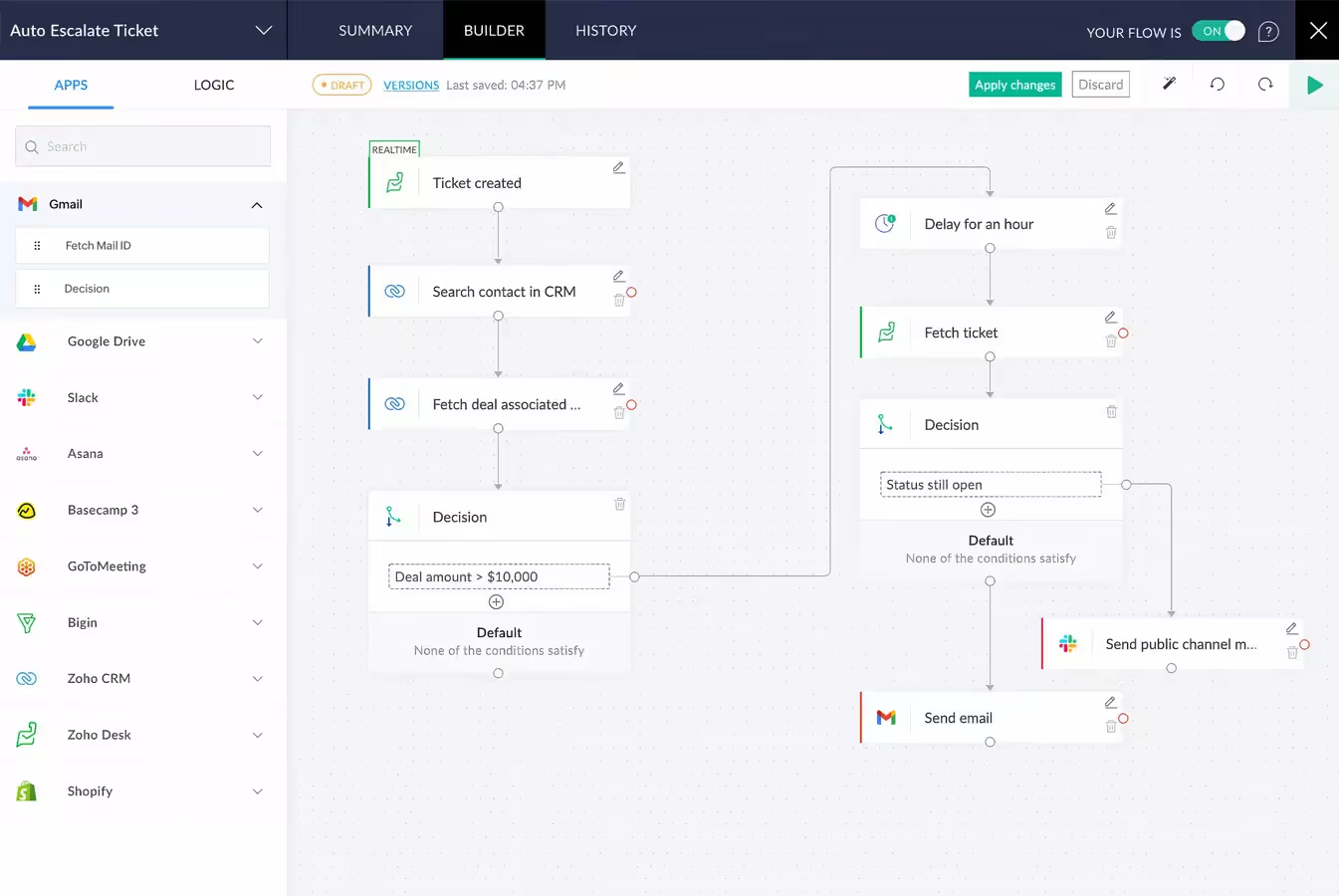
Zoho Creator excels when your business already operates within the Zoho ecosystem. Native integrations with Zoho CRM, Books, and Campaigns flow data seamlessly across applications without third-party connectors.
However, Creator's low-code approach requires learning Deluge—Zoho's proprietary scripting language. While simpler than traditional programming, Deluge still presents barriers for non-technical users. Basic apps build through visual interfaces, but workflow logic, data validation, and advanced features demand scripting knowledge.
The platform lacks offline functionality entirely. Field workers in areas without reliable connectivity cannot use Creator apps, limiting applicability for construction sites, rural territories, or underground facilities.
Mobile apps are native for iOS and Android, providing better performance than web-based alternatives. However, GPS capabilities remain basic compared to Clappia's advanced geofencing and live tracking features.
Pricing starts at $10 per user monthly with limited free plans restricting to single apps and three users. For teams larger than a handful of people, costs accumulate quickly.
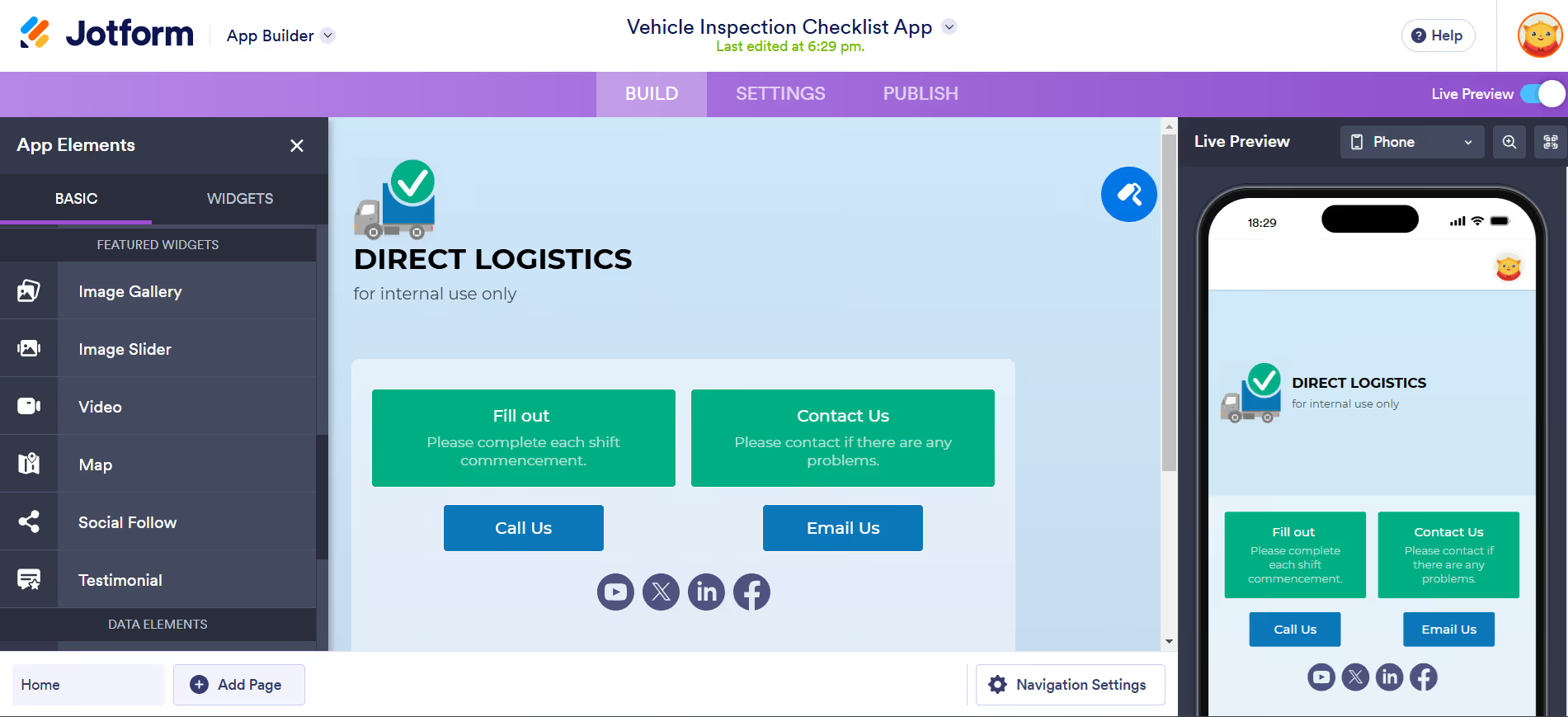
Jotform dominates the online form building space with thousands of templates and intuitive design tools. For surveys, registrations, applications, and questionnaires, Jotform delivers excellent results quickly.
However, Jotform wasn't designed for field force management. The platform captures form data effectively but lacks operational capabilities that field teams require. GPS functionality captures coordinates but provides no geofencing, live tracking, or route optimization.
Mobile responsiveness ensures forms work on smartphones, but Jotform doesn't create true mobile apps. Field workers access forms through browsers rather than native applications, limiting offline capability and device integration.
Workflow automation remains basic—primarily email notifications when forms submit. Complex approval processes, conditional routing, or data synchronization require third-party integrations through Zapier or similar services.
Pricing differs from competitors by charging per account rather than per user. The Bronze plan costs $39 monthly for 1,000 submissions across all forms—potentially economical for small teams but expensive as usage scales.
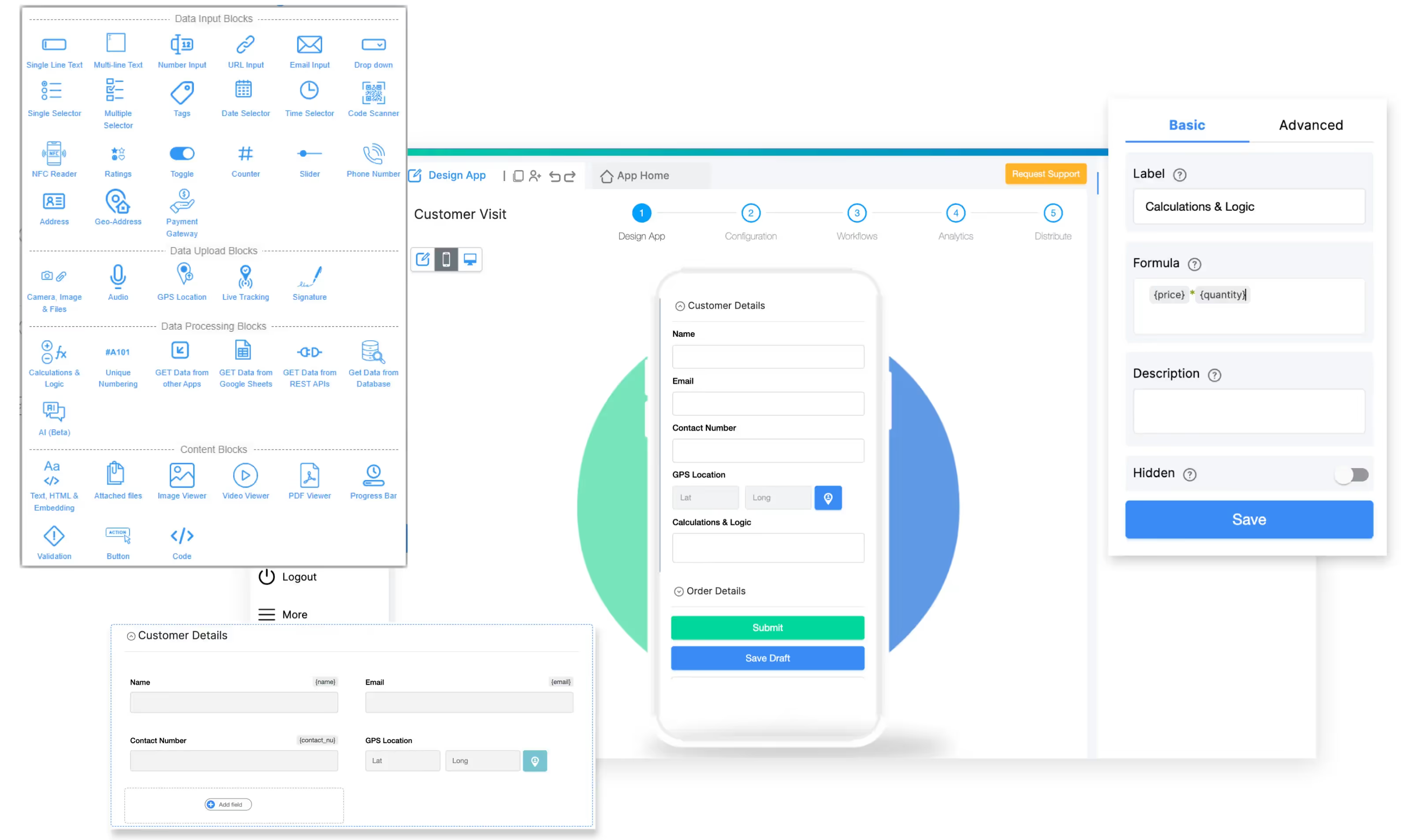
Clappia delivers the most comprehensive field force capabilities among the three platforms. The no-code approach removes technical barriers while providing enterprise-grade features specifically designed for mobile teams.
The platform's GPS location blocks capture coordinates automatically with geofencing capabilities ensuring field workers submit data from designated areas. Live tracking features provide real-time visibility into team locations and movements throughout the workday.
Perhaps most critically, Clappia's offline apps function completely without internet connectivity. Field workers in remote areas, underground facilities, or regions with poor cell coverage continue capturing data, taking photos, and recording GPS locations. All information syncs automatically when connection restores.
The visual workflow builder automates operational processes without coding. Create approval chains, trigger notifications across WhatsApp and Slack, sync data with external systems, and implement conditional logic through drag-and-drop interfaces.
Pricing offers exceptional value with a permanent free plan supporting 100 users—not a trial, but genuine unlimited-time usage. Paid plans start at $6 per user monthly, significantly lower than enterprise alternatives while maintaining full feature access.
A commercial construction company with 40 field supervisors needed daily safety inspection documentation across 25 active job sites. They evaluated all three platforms.
Jotform provided excellent inspection form templates. However, supervisors working in basement excavations and steel framework couldn't submit forms without cell connectivity. The lack of native mobile apps and GPS geofencing also created concerns about inspection location verification.
Zoho Creator offered robust capabilities and integrated well with their Zoho CRM. However, the safety manager lacked Deluge scripting knowledge. Customizing inspection workflows and building conditional logic required either learning to code or hiring a Zoho developer—adding costs and delays.
Clappia enabled the safety manager to build custom inspection apps within days using drag-and-drop blocks. Offline functionality solved connectivity challenges. GPS verification ensured inspections occurred on-site. Photo documentation captured safety violations. Automated workflows routed failed inspections to site supervisors instantly.
The company chose Clappia, deploying the solution across all sites within two weeks. Inspection completion rates increased from 68% to 96% while saving $8,000 in avoided development costs.
Here's how creating a basic field attendance tracking app differs across platforms:
Using Clappia:
Using Zoho Creator:
Using Jotform:
Choose Clappia if you need:
Choose Zoho Creator if you:
Choose Jotform if you:
For field force management specifically, Clappia delivers superior capabilities at the best value. The platform combines no-code simplicity with enterprise features designed explicitly for mobile teams. Offline functionality, advanced GPS tracking, visual workflow automation, and affordable pricing make it the strongest choice for most organizations.
Zoho Creator serves businesses deeply integrated into the Zoho ecosystem willing to accept technical complexity and higher costs. Jotform excels at form building but lacks the operational capabilities field teams require.
Can Jotform replace dedicated field force management software?
Jotform works well for basic data collection through forms but cannot replace dedicated field force platforms. It lacks offline functionality, native mobile apps, advanced GPS tracking, workflow automation, and field-specific features like job assignment and route optimization. Organizations needing only simple form submissions may find Jotform sufficient, but those managing active field teams require more comprehensive solutions like Clappia.
Does Zoho Creator require programming knowledge?
Yes, while basic apps build through visual interfaces, Zoho Creator requires Deluge scripting for advanced features including workflow logic, data validation, conditional calculations, and complex automations. Non-technical users either need to learn Deluge or hire developers, adding time and costs. Clappia's true no-code approach eliminates this requirement entirely.
Which platform offers the best value for growing teams?
Clappia provides superior value with a permanent free plan supporting 100 users and paid plans at $6 per user monthly. Zoho Creator costs $10 per user monthly with restrictive free tiers. Jotform's per-account pricing seems attractive initially but becomes expensive as submission volume grows. For teams scaling beyond 10-15 people, Clappia delivers the lowest total cost of ownership.
Do any of these platforms work offline?
Only Clappia offers full offline functionality. Field workers continue using apps completely without internet, capturing data, photos, and GPS coordinates that sync automatically when connection restores. Neither Zoho Creator nor Jotform provides offline capability, limiting usability in remote areas, basements, or regions with poor connectivity.
 Get Started – It’s Free
L374, 1st Floor, 5th Main Rd, Sector 6, HSR Layout, Bengaluru, Karnataka 560102, India
3500 S DuPont Hwy, Dover,
Kent 19901, Delaware, USA


.svg)




3500 S DuPont Hwy, Dover,
Kent 19901, Delaware, USA
L374, 1st Floor, 5th Main Rd, Sector 6, HSR Layout, Bengaluru, Karnataka 560102, India

.avif)


.avif)